Introduction
Creating professional animations once required expensive software, advanced technical skills, and countless hours of manual work. Today, that’s no longer the case. Thanks to rapid advancements in artificial intelligence, AI Animation Tools are transforming how individuals and businesses create animated videos, social media content, marketing campaigns, educational materials, and even cinematic visuals.
Whether you’re a beginner experimenting with your first animation or a professional looking to speed up production, AI is making high-quality animation more accessible than ever.
From generating videos with simple text prompts to animating static images and creating realistic AI avatars, modern AI animation software can automate tasks that once took days or even weeks. As a result, content creators, YouTubers, marketers, educators, startups, and creative agencies are increasingly using AI-powered animation tools to save time, reduce production costs, and bring ideas to life faster.
However, with dozens of AI animation generators now available, choosing the right platform isn’t always easy. Some tools are designed for beginners who want quick, template-based videos, while others offer advanced features for professional filmmakers, designers, and 3D animators. Pricing, ease of use, video quality, export options, and commercial licensing can also vary significantly from one platform to another.
In this comprehensive guide, we’ve carefully compared the 15 best AI Animation Tools in 2026, including both free and paid options. You’ll discover each tool’s key features, strengths, limitations, pricing, and ideal use cases, along with practical recommendations to help you choose the right solution for your needs.
By the end of this article, you’ll have a clear understanding of which AI animation software is worth your time and investment—whether you’re creating YouTube videos, business presentations, marketing content, or professional animations.
Quick Answer: What Are the Best AI Animation Tools in 2026?
Our top recommendation among the best AI Animation Tools in 2026 is Runway AI. It delivers professional-quality AI video creation with advanced text-to-video generation, intuitive editing tools, and a workflow designed for creators who need both speed and creative control. generation, advanced editing capabilities, and high-quality output.
For beginners, Canva AI offers an intuitive drag-and-drop interface with ready-made templates, making it easy to create animated content without prior experience. CapCut AI is an excellent free option for social media creators, while Synthesia is ideal for businesses that need AI avatar videos for training, presentations, and marketing. If you’re a professional 3D artist or game developer, Blender AI Tools combined with AI-powered add-ons provide unmatched flexibility and creative control.
Ultimately, the right AI animation tool depends on your goals, budget, and experience level. Whether you want to create YouTube videos, animated explainers, marketing campaigns, educational content, or professional 3D animations, there is an AI-powered solution designed for your workflow. This comprehensive comparison will help you evaluate the leading AI animation tools and choose the one that best fits your creative goals, budget, and workflow.
| If You Need… | Recommended AI Animation Tool |
| Best Overall | Runway AI |
| Best for Beginners | Canva AI |
| Best Free AI Animation Tool | CapCut AI |
| Best for YouTube Creators | Runway AI |
| Best for Businesses | Synthesia |
| Best for Professional 3D Animation | Blender AI Tools |
| Best for Explainer Videos | Animaker AI |
| Best for Script-to-Video Creation | InVideo AI |
Key Takeaways
Before exploring the detailed reviews, here are the most important insights from our comparison:
- Among today’s AI animation platforms, Runway AI delivers one of the best combinations of professional video quality, AI-assisted editing, and creative flexibility for content creators.
- Canva AI is the easiest platform for beginners thanks to its user-friendly interface and extensive template library.
- CapCut AI, Canva AI, and Animaker AI are among the best free AI animation tools for users who want to start without a paid subscription.
- Synthesia is the top choice for creating AI avatar videos, making it ideal for businesses, online courses, and corporate training.
- Blender AI Tools and DeepMotion are better suited for professionals working on 3D animation, game development, and advanced creative projects.
- InVideo AI and Pika help content creators quickly turn ideas, scripts, and text prompts into engaging videos for YouTube and social media.
- Choosing the right AI animation software involves more than comparing features. Review its ease of use, output quality, pricing, export options, and commercial licensing to ensure it fits both your current projects and future needs.
Pricing & Availability Notice
Note: AI animation tools frequently update their pricing, features, and free-plan limitations. The information in this guide was reviewed at the time of writing, but we recommend checking each tool’s official pricing page before making a purchase decision.
What Are AI Animation Tools?
AI animation tools are software platforms that use artificial intelligence and machine learning to help users create, edit, and enhance animated videos.
If you’re new to AI concepts, our guide on Artificial Intelligence vs Machine Learning vs Deep Learning explains how these technologies work together to power modern AI applications, including animation tools.
Traditional animation requires artists to manually design characters, create movements, and edit every frame. AI animation software reduces much of this manual work by automating different parts of the creative process.
These tools can help users:
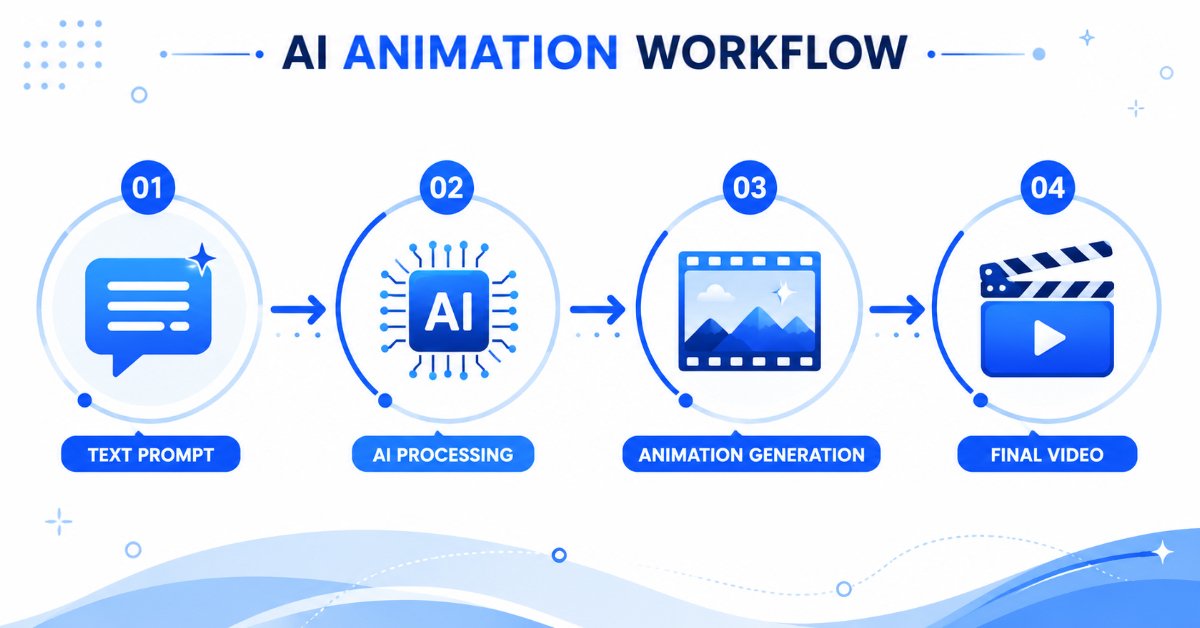
- Generate animated videos from text prompts
- Turn images into moving visuals
- Create AI-generated characters
- Add realistic motion effects
- Produce explainer videos
- Create social media animations
- Generate AI-powered video content faster
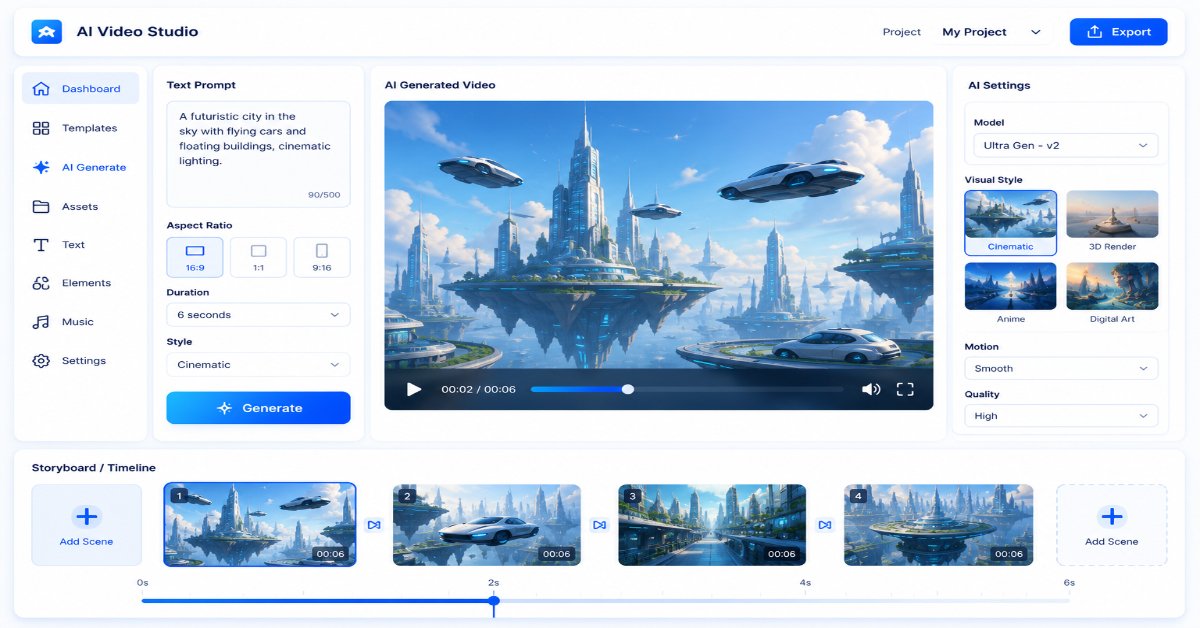
For example, instead of spending hours creating a simple animated scene manually, a creator can describe an idea like:
“Create an animated futuristic city with robots, flying vehicles, and cinematic lighting.”
An AI animation generator can use that description to create a visual concept within minutes.
This makes AI animation software useful for:
- YouTube creators
- Small businesses
- Digital marketers
- Teachers and educators
- Designers
- Professional animators
How AI Animation Software Works
AI animation tools combine multiple technologies to create animated content automatically.
Machine Learning Models
AI models are trained using large amounts of visual data. They learn patterns related to:
- Objects
- Characters
- Movement
- Visual styles
- Environments
This allows AI systems to generate realistic scenes and animations.
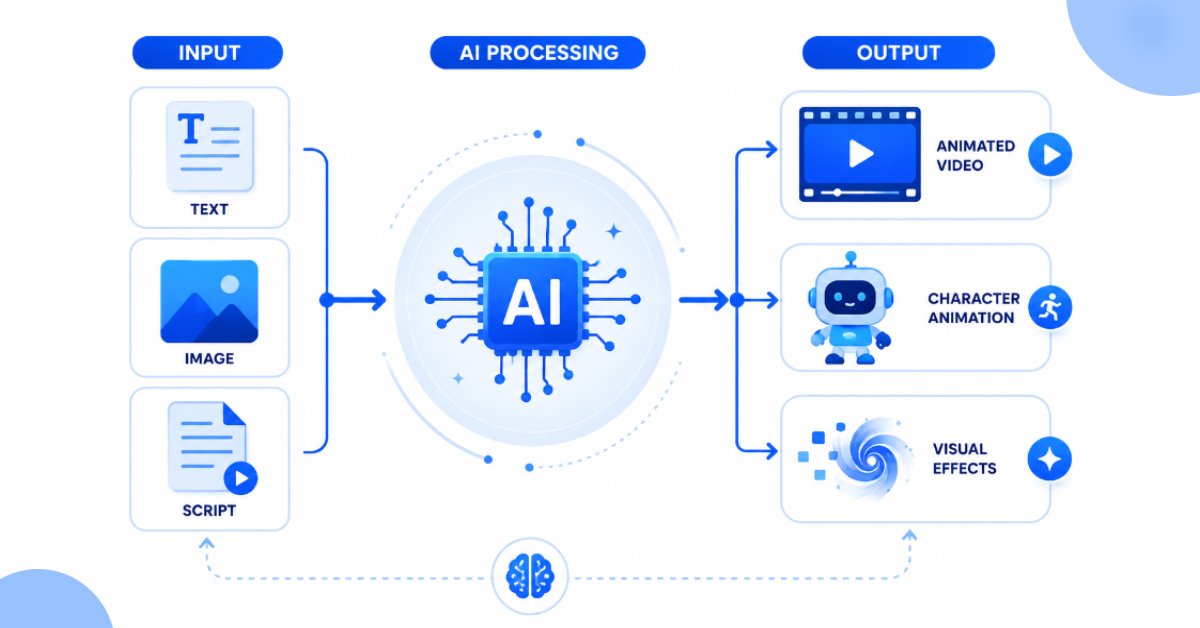
Modern AI animation platforms rely heavily on deep learning models to understand images, motion, and visual patterns. If you’d like to learn more, read our complete guide on What Is Deep Learning? How It Works and Real-World Applications.
Text-to-Animation Generation
Many modern AI animation generators allow users to create videos using simple text instructions.
For example:
“Create a cartoon animation of a dog exploring a magical forest.”
The AI analyzes the prompt and generates visuals based on the description.
Image-to-Animation Technology
AI can also transform static images into animated content.
A single image can become:
- A moving character
- An animated scene
- A cinematic video clip
This feature is especially useful for creators who want to bring illustrations or artwork to life.
Automated Video Editing
Many AI video animation tools also include automatic editing features such as:
- Scene transitions
- Background music
- Captions
- Visual effects
- Voice generation
These features help creators produce videos faster without advanced editing skills.
AI Animation Tools vs Traditional Animation
Traditional animation and AI animation follow different approaches.
Traditional animation usually requires:
- Manual drawing
- Frame-by-frame editing
- Advanced software skills
- More production time
AI animation tools simplify the process by helping users generate and modify content automatically.
However, AI does not completely replace human creativity.
Professional-quality animation still requires:
- Storytelling
- Creative direction
- Editing decisions
- Human imagination
The biggest advantage of AI animation is that it helps creators save time and focus more on ideas rather than repetitive tasks.
Quick Comparison of the Best AI Animation Tools in 2026
| AI Animation Tool | Best For | Key Features | Free Plan | Difficulty Level |
| Runway AI | Professional creators | AI video generation, editing, effects | Yes | Medium |
| Canva AI | Beginners | Templates, animations, design tools | Yes | Easy |
| Pika | Creative short videos | Text-to-video, image animation | Yes | Easy |
| Adobe Firefly | Designers | AI creative generation | Limited | Medium |
| Animaker AI | Explainer videos | Characters, templates, animation | Yes | Easy |
| InVideo AI | Social media creators | Script-to-video creation | Yes | Easy |
| Synthesia | Business videos | AI avatars and voice generation | Limited | Easy |
| Kaiber | Artistic animations | Style-based AI animation | Limited | Medium |
| VEED AI | Online editing | AI editing and subtitles | Yes | Easy |
| CapCut AI | Shorts and reels | AI effects and templates | Yes | Easy |
| Powtoon | Presentations | Animated templates | Yes | Easy |
| Renderforest AI | Branding videos | Marketing animations | Yes | Easy |
| Steve AI | Content creators | Script-to-video | Yes | Easy |
| DeepMotion | 3D animation | AI motion capture | Limited | Advanced |
| Blender AI Tools | Professionals | 3D animation workflow | Yes | Advanced |
15 Best AI Animation Tools in 2026
The AI animation market has grown rapidly, and different tools now serve different types of creators. Some platforms focus on text-to-video generation, some specialize in AI avatars, while others help professionals create advanced animations.
Below are the top AI animation tools in 2026 based on features, usability, creative flexibility, and real-world use cases.
1. Runway AI — Best AI Animation Tool for Professional Creators
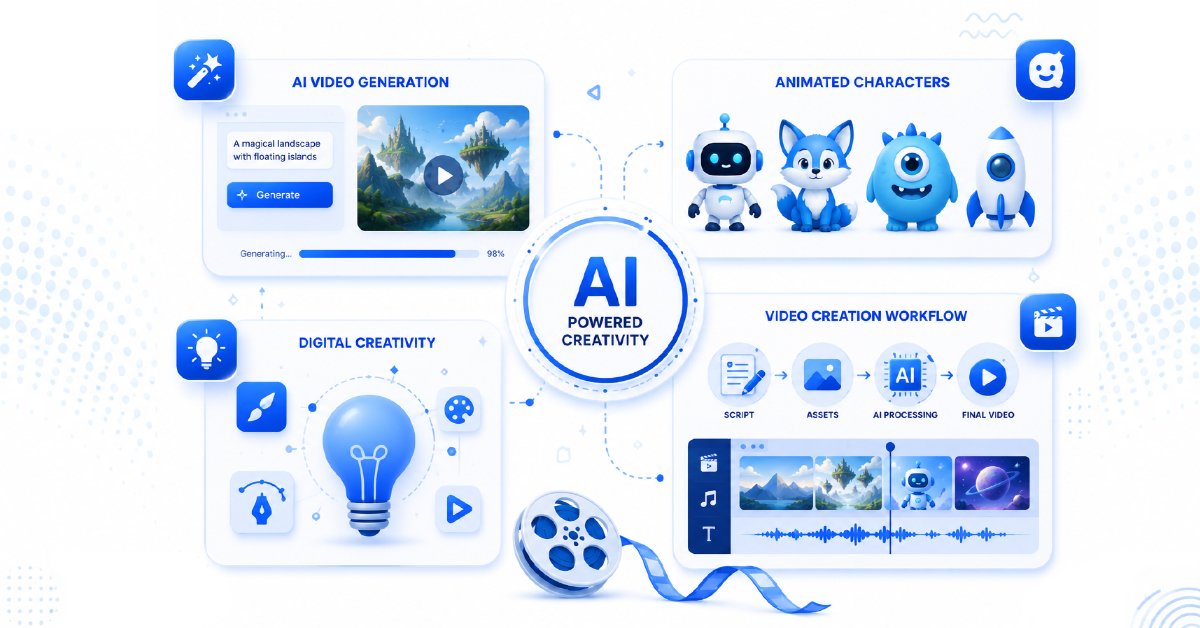
Runway is one of the most advanced AI video creation platforms available today. It is designed for creators who want to generate cinematic visuals, edit videos with AI, and experiment with advanced animation workflows.
The platform allows users to create videos from text prompts, images, and existing footage.
Best For:
- Professional video creators
- Filmmakers
- Creative agencies
- YouTube creators
Key Features:
- Text-to-video generation
- Image-to-video animation
- AI video editing
- Background removal
- Visual effects generation
Pros:
✓ High-quality AI-generated videos
✓ Powerful creative controls
✓ Suitable for professional projects
Cons:
✗ Learning curve for beginners
✗ Advanced features require paid plans
Free Plan:
Yes. Runway offers a free plan with limited AI generation credits and export capabilities, allowing users to explore its core features before upgrading.
Pricing:
Paid plans start at approximately $15/month (pricing may vary based on monthly or annual billing and selected plan). For the latest pricing and features, check Runway’s official pricing page.
Who Should Choose Runway?
Choose Runway AI if you want cinematic AI videos and more creative control.
Avoid it if you only need simple animated presentations or basic social media content.
Final Verdict:
Runway is one of the strongest AI video animation tools for creators who want professional-level results.
2. Canva AI — Best AI Animation Tool for Beginners
Canva AI is one of the easiest options for users who want to create animated content without learning complicated software.
Because Canva already offers templates, graphics, and design tools, its AI features make animation creation simple for beginners.
Best For:
- Beginners
- Social media creators
- Small businesses
- Marketers
Key Features:
- AI-powered designs
- Animated templates
- Text effects
- Video creation tools
- Easy drag-and-drop editor
Pros:
✓ Extremely beginner-friendly
✓ Large template library
✓ Fast content creation
Cons:
✗ Limited advanced animation control
✗ Not designed for professional animation studios
Free Plan:
Yes. Canva offers a generous free plan that includes basic AI-powered design and animation features. Some advanced AI tools require a Canva Pro subscription.
Pricing:
Paid plans start at approximately $15/month for Canva Pro (pricing may vary by region and billing cycle). Check Canva’s official pricing page for the latest details.
Who Should Choose Canva AI?
Choose Canva AI if you want quick animations, presentations, social media videos, or marketing content.
Avoid it if you need advanced 3D animation or professional filmmaking tools.
Final Verdict:
For beginners looking for simple and effective AI animation software, Canva AI is one of the best choices.
3. Pika — Best AI Animation Generator for Creative Short Videos
Pika is an AI video generation platform focused on creating short creative animations from text and images.
It is popular among creators who want unique visual effects and experimental AI-generated clips.
Best For:
- Short videos
- Social media creators
- Creative experiments
Key Features:
- Text-to-video generation
- Image animation
- AI effects
- Creative video transformations
Pros:
✓ Easy to use
✓ Great for experimenting with ideas
✓ Fast video generation
Cons:
✗ Limited control compared with professional tools
✗ Better for short clips than long videos
Free Plan:
Yes. Pika provides a free plan with limited AI video generations and usage credits, making it suitable for testing the platform.
Pricing:
Paid plans start at approximately $10/month, with additional credits and advanced features available in higher-tier plans.
Who Should Choose Pika?
Choose Pika if you want to create eye-catching AI-generated clips quickly.
Avoid it if you need complete professional animation production.
Final Verdict:
Pika is a fun and creative AI animation tool for short-form content creators.
4. Adobe Firefly — Best AI Animation Tool for Creative Professionals
Adobe Firefly brings artificial intelligence into Adobe’s creative ecosystem. While it is not only an animation platform, it helps designers and creators generate visual assets that can be used in animation workflows.
Best For:
- Designers
- Creative professionals
- Adobe users
Key Features:
- AI image generation
- Creative asset creation
- AI editing assistance
- Integration with Adobe tools
Pros:
✓ Professional creative ecosystem
✓ Useful for design workflows
✓ Trusted brand
Cons:
✗ Not a dedicated animation generator
✗ Better suited for experienced creators
Free Plan:
Yes. Adobe Firefly includes limited free generative AI credits. Higher usage limits and premium features require an eligible Adobe subscription.
Pricing:
Paid plans start at approximately $10/month, depending on the Adobe plan you choose.
Who Should Choose Adobe Firefly?
Choose it if you already work with Adobe Firefly tools and need AI-powered creative assistance.
Avoid it if you want a simple beginner animation generator.
Final Verdict:
Adobe Firefly is a powerful creative assistant rather than a complete AI animation platform.
5. Animaker AI — Best AI Animation Tool for Explainer Videos
Animaker AI is designed for users who want to create animated videos without advanced animation skills.
It provides ready-made characters, templates, and animation elements.
Best For:
- Explainer videos
- Educational content
- Business presentations
Key Features:
- Character animation
- Animated templates
- AI video creation
- Voice options
Pros:
✓ Beginner-friendly
✓ Great for business videos
✓ Easy character creation
Cons:
✗ Limited advanced animation features
✗ Template-based approach
Free Plan
Yes. Animaker offers a free plan with limited exports and watermarked videos.
Pricing
Paid plans start at approximately $15–$20/month, depending on the selected plan and billing cycle.
Who Should Choose Animaker AI?
Choose it if you want simple animated explainers and educational videos.
Avoid it if you need cinematic or professional animation.
Final Verdict:
Animaker AI is one of the best AI animation generators for beginners and businesses.
6. InVideo AI — Best AI Animation Tool for Social Media Videos
InVideo AI helps users turn ideas and scripts into complete videos quickly.
It is especially useful for creators who regularly publish content on YouTube, Instagram, and other platforms.
Best For:
- Content creators
- Social media marketers
- Short videos
Key Features:
- Script-to-video generation
- AI editing
- Templates
- Voice generation
Pros:
✓ Fast video creation
✓ Easy workflow
✓ Good for beginners
Cons:
✗ Less control over detailed animation
✗ AI results may require editing
Free Plan:
Yes. InVideo AI provides a free plan with limited AI generations, exports, and watermarked videos.
Pricing:
Paid plans start at approximately $25–$30/month, depending on features and billing frequency.
Who Should Choose InVideo AI?
Choose it if your priority is creating videos quickly.
Avoid it if you want complete animation control.
Final Verdict:
InVideo AI is a practical option for creators who need fast AI video creation.
7. Synthesia — Best AI Animation Tool for AI Avatar Videos
Synthesia takes a different approach compared with traditional animation tools. Instead of focusing mainly on cartoon-style animation, it specializes in creating AI presenter videos using realistic digital avatars.
Businesses, educators, and companies use Synthesia to create training videos, tutorials, product demonstrations, and internal communication content without recording themselves.
Best For:
- Business training videos
- Educational content
- Corporate communication
- Professional presentations
Key Features:
- AI avatars
- Text-to-video creation
- Multiple language support
- AI voice generation
- Script-based video creation
Pros:
✓ Professional AI presenter videos
✓ Saves recording time
✓ Useful for global audiences
Cons:
✗ Not designed for traditional cartoon animation
✗ Premium features can be expensive
Free Plan:
Yes. Synthesia offers a free plan that allows users to explore AI avatar video creation with limited monthly usage.
Pricing:
Paid plans start at approximately $29/month, with additional Creator and Enterprise plans available for teams and advanced features.
Who Should Choose Synthesia?
Choose Synthesia if you need professional videos with AI presenters.
Avoid it if your goal is creating animated characters, cartoons, or cinematic scenes.
Final Verdict:
Synthesia is one of the best AI video animation tools for businesses that want professional presenter-style videos.
8. Kaiber — Best AI Animation Tool for Artistic Videos
Kaiber is designed for creators who want to transform ideas, images, and music into unique artistic animations.
It focuses more on creativity and visual experimentation rather than traditional business videos.
Best For:
- Artists
- Musicians
- Creative projects
- Experimental animations
Key Features:
- Image-to-video animation
- AI visual styles
- Music-based animations
- Creative effects
Pros:
✓ Unique artistic results
✓ Easy creative experimentation
✓ Good for visual storytelling
Cons:
✗ Not ideal for business presentations
✗ Less control over detailed animation projects
Free Plan
Yes. Kaiber provides limited free credits so users can test its AI animation capabilities before subscribing.
Pricing
Paid plans start at approximately $10–$15/month, depending on the selected subscription.
Who Should Choose Kaiber?
Choose Kaiber if you want creative and visually interesting animations.
Avoid it if you need professional business videos or detailed character animation.
Final Verdict:
Kaiber is a strong choice for creators who want artistic AI-generated animations.
9. VEED AI — Best AI Animation Tool for Online Video Editing
VEED AI combines video editing with artificial intelligence features, making it useful for creators who want an all-in-one online workflow.
Instead of focusing only on animation, VEED helps users create, edit, subtitle, and optimize videos.
Best For:
- Social media creators
- Marketers
- Online video editing
Key Features:
- AI video editing
- Automatic subtitles
- Video templates
- AI effects
- Browser-based editing
Pros:
✓ Simple interface
✓ No advanced software required
✓ Useful editing features
Cons:
✗ Not a dedicated animation platform
✗ Advanced features require paid plans
Free Plan:
Yes. VEED offers a free plan that includes basic AI editing tools, though exports may include a watermark and feature limitations.
Pricing:
Paid plans start at approximately $12–$20/month, depending on the plan.
Who Should Choose VEED AI?
Choose VEED if you need animation combined with fast online editing.
Avoid it if you want advanced professional animation production.
Final Verdict:
VEED AI is a practical choice for creators who want simple AI-powered video editing and animation features.
10. CapCut AI — Best AI Animation Tool for Short-Form Content
CapCut AI has become popular among social media creators because it makes video creation simple and fast.
Its AI-powered features help users create engaging short videos for platforms like YouTube Shorts, Instagram Reels, and TikTok.
Best For:
- Short-form content creators
- Social media marketers
- Beginners
Key Features:
- AI effects
- Auto captions
- Video templates
- Background removal
- AI editing tools
Pros:
✓ Beginner-friendly
✓ Many free features
✓ Excellent for short videos
Cons:
✗ Limited professional animation control
✗ Better suited for social media than long videos
Free Plan:
Yes. CapCut includes many AI-powered editing features at no cost, although certain premium tools require a paid subscription.
Pricing:
Paid plans start at approximately $10/month, with additional AI features included in premium tiers.
Who Should Choose CapCut AI?
Choose CapCut if you mainly create reels, shorts, and quick social media videos.
Avoid it if you need advanced animation workflows.
Final Verdict:
CapCut AI is one of the best free AI animation tools for beginners creating short-form content.
11. Powtoon — Best AI Animation Tool for Presentations and Explainer Videos
Powtoon has been a popular animation platform for years and continues to help users create animated presentations and educational videos.
It is widely used by businesses, teachers, and marketers.
Best For:
- Explainer videos
- Educational content
- Business presentations
Key Features:
- Animated templates
- Character creation
- Presentation animation
- Drag-and-drop editor
Pros:
✓ Easy to learn
✓ Large template collection
✓ Good for business content
Cons:
✗ Not suitable for advanced animation
✗ Some features require paid plans
Free Plan
Yes. Powtoon offers a free plan with limited exports and branding on exported videos.
Pricing
Paid plans start at approximately $15–$20/month, depending on the selected package.
Who Should Choose Powtoon?
Choose Powtoon if you need simple animated presentations and explainers.
Avoid it if you want cinematic AI video generation.
Final Verdict:
Powtoon remains a reliable AI animation software choice for businesses and educators.
12. Renderforest AI — Best AI Animation Tool for Branding Videos
Renderforest AI helps businesses create branded videos, promotional animations, and marketing content using ready-made templates.
It is useful for companies that want professional-looking visuals without hiring a full design team.
Best For:
- Businesses
- Marketing teams
- Brand videos
Key Features:
- AI video creation
- Animated templates
- Logo animation
- Promotional videos
Pros:
✓ Easy branding workflow
✓ Good template library
✓ Beginner-friendly
Cons:
✗ Less creative flexibility
✗ Template-based results
Free Plan
Yes. Renderforest provides a free plan with limited exports and watermarked videos.
Pricing
Paid plans start at approximately $15/month, with additional storage, export quality, and branding options available in higher plans.
Who Should Choose Renderforest AI?
Choose it if your goal is creating marketing and branding videos quickly.
Avoid it if you need advanced animation customization.
Final Verdict:
Renderforest AI is a practical solution for businesses creating branded animated content.
13. Steve AI — Best AI Animation Tool for Script-to-Video Creation
Steve AI focuses on converting written content into videos. It can help bloggers, marketers, and educators turn scripts into animated content.
Best For:
- Bloggers
- Content marketers
- Educational creators
Key Features:
- Script-to-video generation
- AI story creation
- Animated characters
- Voice options
Pros:
✓ Great for repurposing content
✓ Simple workflow
✓ Beginner-friendly
Cons:
✗ May require editing adjustments
✗ Limited advanced animation controls
Free Plan
Yes. Steve AI includes a free plan with limited AI video generation features and monthly credits.
Pricing
Paid plans start at approximately $15–$20/month, depending on your usage requirements.
Who Should Choose Steve AI?
Choose Steve AI if you want to convert articles, scripts, or ideas into videos.
Avoid it if you need professional animation control.
Final Verdict:
Steve AI is a useful text-to-animation AI tool for content creators.
14. DeepMotion — Best AI Animation Tool for 3D Character Animation
DeepMotion focuses on a more advanced area of animation: AI-powered motion capture and 3D character movement.
Unlike many AI video generators that create complete videos from text, DeepMotion helps creators animate digital characters by converting human movement into realistic motion.
This makes it especially useful for game developers, 3D artists, and animation professionals.
Best For:
- 3D animators
- Game developers
- Character designers
- Professional creators
Key Features:
- AI motion capture
- 3D character animation
- Body tracking
- Realistic movement generation
Pros:
✓ Advanced motion capture technology
✓ Saves time in character animation
✓ Useful for professional workflows
Cons:
✗ Not beginner-friendly
✗ Requires knowledge of 3D animation concepts
Free Plan
Yes. DeepMotion offers a free plan with limited AI motion capture credits for testing the platform.
Pricing
Paid plans start at approximately $17–$20/month, with additional credits and professional features available in higher tiers.
Who Should Choose DeepMotion?
Choose DeepMotion if you work with 3D characters, games, or professional animation projects.
Avoid it if you only want simple AI-generated videos.
Final Verdict:
DeepMotion is one of the best AI tools for animation professionals who need realistic character movement.
15. Blender AI Tools — Best AI Animation Solution for Professional Creators
Blender is one of the most powerful free 3D animation platforms available today.
While Blender itself is not a traditional AI animation generator, AI-powered plugins and workflows are making professional animation faster and easier.
Creators use Blender for:
- 3D modeling
- Character animation
- Visual effects
- Rendering
- Game development
Best For:
- Professional animators
- 3D artists
- Film creators
- Game developers
Key Features:
- 3D animation tools
- AI-assisted workflows
- Advanced rendering
- Character creation
- Visual effects
Pros:
✓ Completely free
✓ Professional-level capabilities
✓ Huge creator community
Cons:
✗ Difficult for beginners
✗ Requires learning time
Free Plan
Yes. Blender is completely free and open-source. All core 3D animation features are available without a subscription.
Pricing
Free. Some third-party AI add-ons and plugins may require separate purchases or subscriptions, but Blender itself does not charge any licensing fee.
Who Should Choose Blender AI Tools?
Choose Blender if you want maximum control and professional animation capabilities.
Avoid it if you need a quick beginner-friendly AI animation generator.
Final Verdict:
For serious animation professionals, Blender remains one of the most powerful AI-assisted animation solutions available.
Best Free AI Animation Tools in 2026
Many creators want to experiment with AI animation without paying for expensive software.
Fortunately, several AI animation tools offer free plans or free credits. However, free versions usually come with limitations such as:
- Watermarks
- Limited generation credits
- Lower export quality
- Restricted premium features
Here are some of the best free AI animation tools in 2026:
Canva AI
Canva AI is one of the easiest free AI animation tools for beginners.
It is useful for:
- Animated presentations
- Social media content
- Marketing graphics
- Simple videos
Best for users who want quick results without technical skills.
CapCut AI
CapCut AI is a strong free option for creators making:
- YouTube Shorts
- Instagram Reels
- Social media videos
Its AI effects, templates, and editing features make it beginner-friendly.
Animaker AI
Animaker AI is useful for creating:
- Explainer videos
- Educational animations
- Cartoon-style videos
It is a good choice for users who want character-based animation.
Pika
Pika is helpful for experimenting with AI-generated video clips.
It works well for:
- Creative animations
- Short videos
- Visual experiments
InVideo AI
InVideo AI is suitable for users who want to transform ideas and scripts into videos quickly.
It is useful for:
- Content creators
- Marketers
- Social media videos
Best AI Animation Tools Based on Different Needs
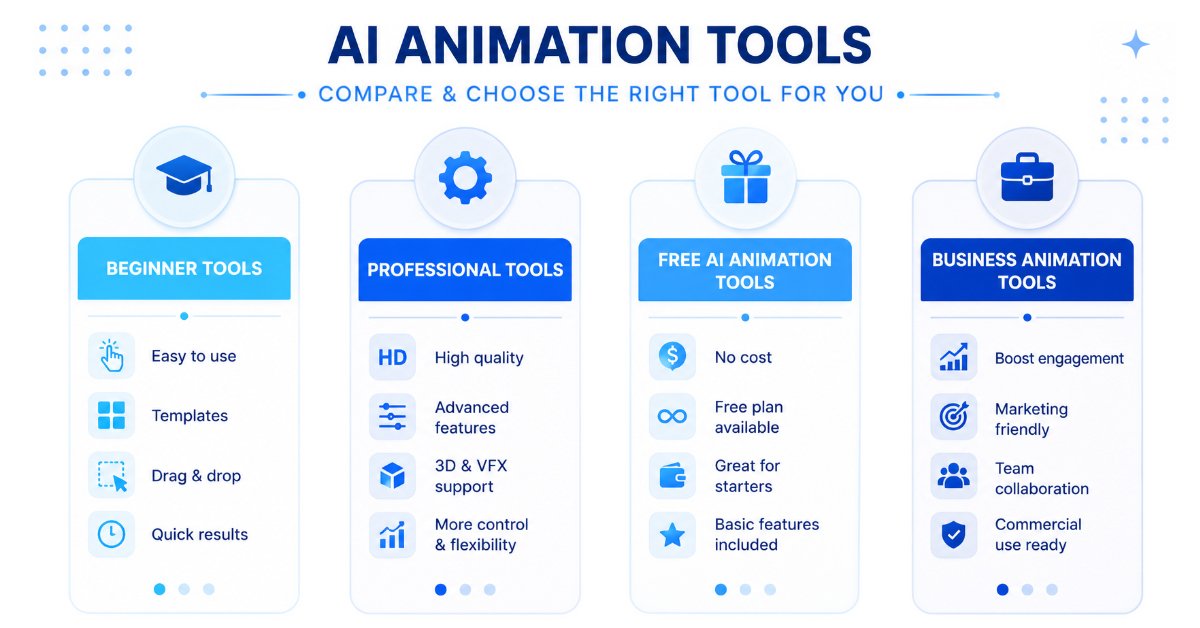
Different creators need different animation solutions. The right tool depends on your goal.
Best AI Animation Tools for Beginners
Beginners usually need tools that are simple and require no animation experience.
Recommended options:
Canva AI
Best for easy designs, presentations, and simple animations.
CapCut AI
Best for short videos and social media content.
Animaker AI
Best for cartoon-style videos and explainers.
Best AI Animation Tools for YouTube Creators
YouTube creators need tools that help them create engaging videos faster.
Recommended options:
Runway AI
Best for cinematic AI videos and creative effects.
Pika
Best for unique short AI-generated clips.
InVideo AI
Best for converting scripts into videos.
CapCut AI
Best for editing YouTube Shorts.
Best AI Animation Tools for Businesses
Businesses usually need professional videos for:
- Marketing
- Training
- Product demonstrations
Businesses using AI animation often benefit from combining these platforms with other productivity solutions. Explore our list of the Best AI Tools for Small Businesses in India to discover more tools for marketing, automation, and business growth.
Recommended options:
Synthesia
Best for AI presenter videos.
Powtoon
Best for animated presentations.
Renderforest AI
Best for branding and promotional videos.
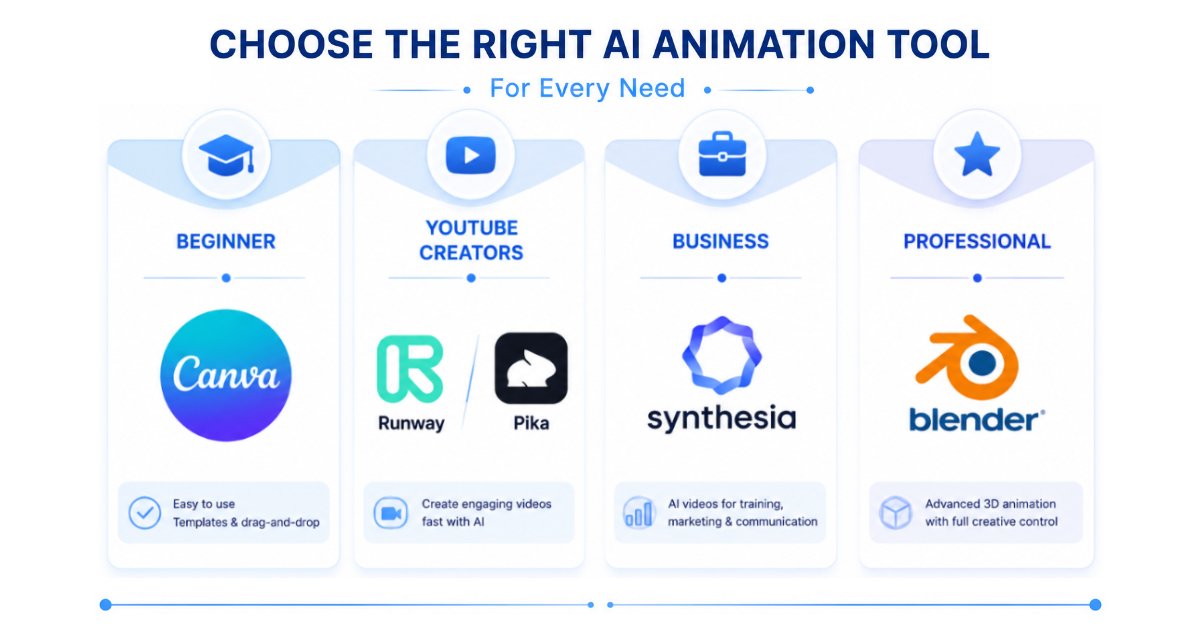
Best AI Animation Tools for Professional Animators
Professional creators need advanced control and flexibility.
Recommended options:
Blender AI Tools
Best for professional 3D animation.
DeepMotion
Best for realistic character movement.
Runway AI
Best for advanced AI video creation.
How to Choose the Right AI Animation Tool
Choosing the right AI animation tool depends on what you want to create. A tool that works perfectly for a YouTube creator may not be the best choice for a business, educator, or professional animator.
Before selecting an AI animation generator, consider these important factors.
Define Your Content Goal
First, identify the type of content you want to create.
Ask yourself:
- Do you need YouTube videos?
- Are you creating social media reels?
- Do you need animated presentations?
- Are you creating professional 3D animations?
For example:
- Social media creators may prefer CapCut AI or Canva AI.
- Businesses may benefit from Synthesia or Powtoon.
- Professional animators may need Blender or DeepMotion.
Choosing based on your goal will save time and money.
Check Ease of Use
Not every AI animation software is designed for beginners.
If you are new to animation, choose tools with:
- Simple interfaces
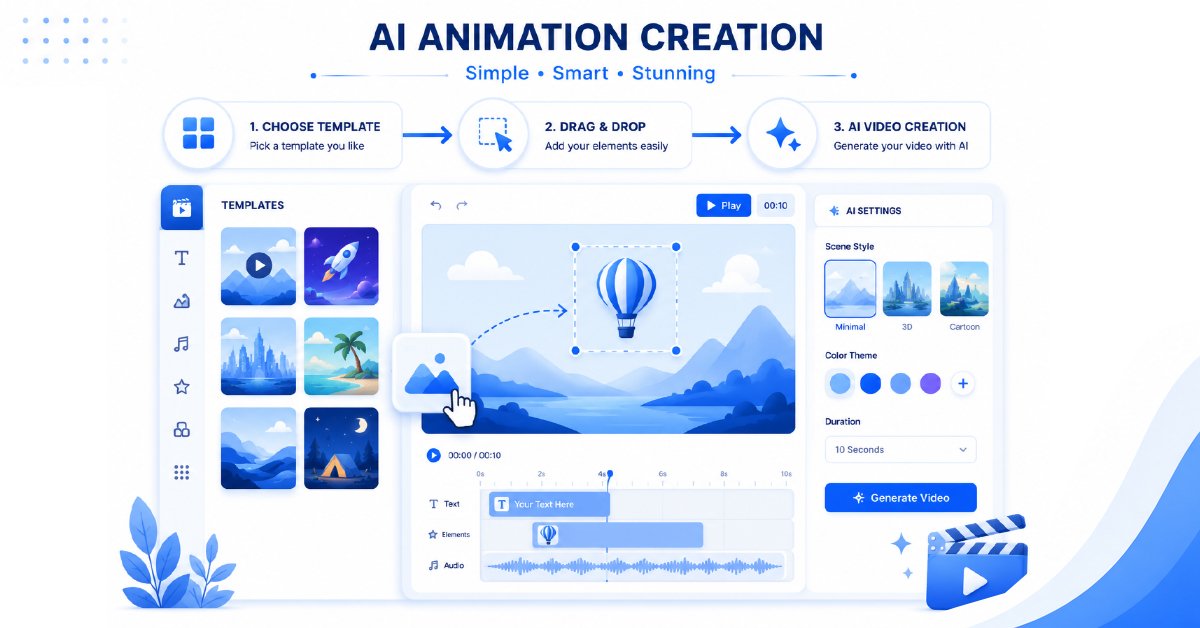
- Ready-made templates
- Drag-and-drop editing
- Beginner-friendly workflows
Tools like Canva AI, Animaker AI, and CapCut AI are easier for beginners.
Advanced tools like Blender and DeepMotion require more technical knowledge.
Compare Features and Animation Quality
Different AI animation tools offer different capabilities.
Before choosing, compare:
- Video quality
- Animation styles
- Character consistency
- Editing options
- Export quality
- AI generation limits
A simple tool may be enough for social media content, while professional projects may require advanced features.
Don’t choose an AI animation tool based solely on the number of features it offers. Instead, compare the quality of the generated animations, rendering speed, export resolution, and editing flexibility. If you plan to create professional videos or complex visual effects, it’s also worth understanding how AI-powered creative workflows benefit from optimized hardware. NVIDIA Studio offers useful resources on creative technologies and GPU-accelerated content creation.
Consider Pricing and Free Plans
Many AI animation tools offer free plans, but they usually include limitations.
Check:
- Monthly credits
- Watermarks
- Export restrictions
- Premium features
- Commercial usage options
A free plan is useful for testing a tool before investing in a paid subscription.
Check Commercial Usage Rights
If you are creating content for business or monetization, always check usage rights.
Important questions:
- Can you use generated videos commercially?
- Are there restrictions on AI-generated content?
- Does the plan include business usage?
This is especially important for marketers, businesses, and YouTube creators.
Are AI Animation Tools Worth Using in 2026?
The short answer is yes—AI animation tools are absolutely worth using in 2026. They have evolved from simple automation software into powerful creative platforms that help individuals and businesses produce high-quality animated content faster and more efficiently than ever before.
For beginners, AI animation software removes many of the traditional barriers to animation. Instead of spending months learning complex software or hiring professional animators, users can generate engaging videos with text prompts, ready-made templates, and AI-assisted editing. This makes animation more accessible to content creators, educators, freelancers, and small businesses with limited budgets.
For experienced creators and professionals, AI serves as a productivity booster rather than a replacement for creativity. This shift reflects a broader trend across AI technologies. To better understand the differences between AI systems and how they learn, read our guide on Machine Learning vs Artificial Intelligence. Tasks such as background removal, scene generation, lip-syncing, subtitle creation, motion effects, and video editing can now be completed in minutes, allowing creators to focus more on storytelling, branding, and audience engagement.
That said, AI animation tools are not perfect. While they can dramatically speed up production, they still have limitations when it comes to complex storytelling, highly customized character design, and frame-by-frame artistic control. Professional animation studios, filmmakers, and game developers often combine AI-powered workflows with traditional animation techniques to achieve the best results.
If you’re wondering whether you should start using AI animation tools, the answer depends on your goals:
- Choose AI animation tools if you want to create videos faster, reduce production costs, and simplify your workflow.
- Stick with traditional animation methods if your projects require complete creative control, highly detailed character animation, or complex cinematic productions.
- Combine both approaches if you want the efficiency of AI while maintaining professional-quality creative output.
Looking ahead, AI is expected to become an essential part of modern animation rather than a replacement for human talent. As these tools continue to improve, creators who learn to use AI effectively will be better positioned to produce high-quality content, work more efficiently, and stay competitive in an increasingly digital world.
Bottom Line: AI animation tools are no longer just experimental technology—they are practical, time-saving solutions that can benefit beginners, businesses, marketers, educators, and professional creators alike. The key is choosing the tool that best fits your experience level, creative goals, and budget.
Frequently Asked Questions About AI Animation Tools
1. What are the best AI animation tools in 2026?
The best AI animation tool depends on your needs.
For beginners, Canva AI and CapCut AI are excellent choices.
For professional creators, Runway AI and Blender AI tools provide more advanced capabilities.
For businesses, Synthesia and Powtoon are strong options.
2. Are AI animation tools free?
Yes, many AI animation tools offer free plans or free credits.
However, free versions usually come with limitations such as:
● Limited generations
● Watermarks
● Lower export quality
● Fewer advanced features
Free tools are a good way to test a platform before upgrading.
3. Can AI create complete animated videos?
Yes, modern AI video animation tools can create complete videos from:
● Text prompts
● Images
● Scripts
● Existing footage
However, human editing and creative direction are still important for professional results.
AI can speed up the process, but storytelling and creativity remain essential.
4. Which AI animation tool is best for beginners?
For beginners, the best options are:
● Canva AI
● CapCut AI
● Animaker AI
These platforms offer simple interfaces, templates, and easy workflows without requiring advanced animation skills.
5. Can AI animation tools replace professional animators?
AI animation tools can help animators work faster, but they are unlikely to completely replace professional creators.
Human creativity is still needed for:
● Storytelling
● Character design
● Creative decisions
● Emotional connection
The future of animation will likely involve humans and AI working together.
Conclusion: Choosing the Best AI Animation Tool
AI animation tools have completely changed how creators produce videos and visual content.
Today, anyone can create animations faster without spending years learning complicated software.
However, the best AI animation tool depends on your specific needs:
- Beginners: Canva AI, CapCut AI, Animaker AI
- YouTube creators: Runway AI, Pika, InVideo AI
- Businesses: Synthesia, Powtoon, Renderforest AI
- Professional animators: Blender AI Tools, DeepMotion
If you are just starting, begin with a simple free AI animation tool and learn the workflow. As your skills grow, you can move toward more advanced platforms.
The future of animation is not only about replacing traditional methods. It is about giving creators better tools to transform ideas into engaging visual experiences faster than ever before.