Starting a blog used to be complicated.
You needed technical skills, coding knowledge, and sometimes even a developer just to get your website online.
But today things are very different.
With modern hosting platforms like Hostinger and a powerful CMS like WordPress, anyone can launch a professional blog in less than 30 minutes — even if you’ve never built a website before.
Whether you want to:
- Share your knowledge
- Build an online brand
- Start affiliate marketing
- Create a passive income blog
This beginner-friendly guide will show you exactly how to start a blog with Hostinger and WordPress step by step.
By the end of this tutorial, your blog will be live on the internet and ready to publish your first post.
Quick Answer: How to Start a Blog with Hostinger and WordPress
Starting a blog with Hostinger and WordPress is simple and beginner-friendly.
Follow these steps:
- Buy a hosting plan from Hostinger
- Register a domain name
- Install WordPress using the one-click installer
- Choose a blog theme
- Install essential plugins
- Publish your first blog post
Most beginners can launch a blog in 20–30 minutes without coding knowledge.
If you plan to monetize your blog, you can also read our guide:
How to Make Money with Hostinger Affiliate Program (Beginner’s Step-by-Step Guide 2026).
Why Start a Blog in 2026?
Blogging is no longer just an online diary.
Today blogs power businesses, personal brands, and online income streams.
For example, professionals in specific industries such as real estate can start niche blogs. Our guide on AI Tools for Real Estate Agents shows how technology is transforming the real estate industry.
Build an Online Brand
A blog allows you to showcase expertise in your field such as:
- Technology
- AI tools
- Affiliate marketing
- Business
- Finance
Over time, your blog becomes a trusted resource online.
Earn Passive Income
Many bloggers earn money through:
- Affiliate marketing
- Ads
- Digital products
- Courses
Even professionals such as lawyers are using blogs to educate people online. For example, our article on AI Tools for Lawyers in India explains how artificial intelligence is helping legal professionals work more efficiently.
Blogging allows you to teach others what you know.
From technology tutorials to travel guides, every niche has an audience.
Why Choose Hostinger for Blogging?
Choosing the right hosting provider is very important when starting a blog.
Many beginners struggle because there are hundreds of hosting companies.
However, Hostinger is one of the most beginner-friendly platforms.
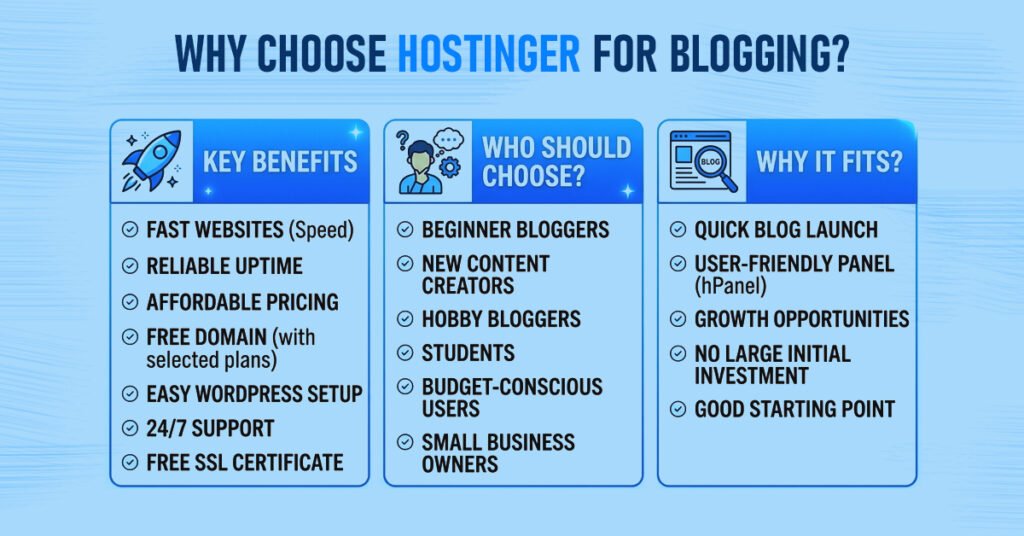
Affordable Hosting Plans
Hostinger offers some of the most budget-friendly hosting plans available.
Even beginners can start a blog without spending much money.
Fast Website Performance
Website speed affects:
- User experience
- SEO rankings
- Conversion rates
Hostinger uses fast servers and optimized technology to improve loading speed.
Easy WordPress Installation
You can install WordPress with one click, making it perfect for beginners.
According to W3Techs, WordPress powers more than 40% of all websites worldwide.
Free Domain and SSL
Most Hostinger plans include:
- Free domain
- Free SSL certificate
- Free email accounts
These features help beginners launch professional websites quickly.
What You Need Before Starting a Blog
Before creating your blog you only need three things.
Domain Name
A domain name is your website’s address.
Example:
yourblogname.com
Choose something:
- Short
- Easy to remember
- Relevant to your niche
Web Hosting
Web hosting stores your website files and makes them accessible online.
Services like Hostinger provide hosting for bloggers and businesses.
Blogging Platform
A blogging platform allows you to publish content easily.
The most popular option is WordPress.
You can learn more about it here:
Step 1 – Visit the Hostinger Website
First go to the official website of Hostinger.
Click Get Started and choose WordPress Hosting.
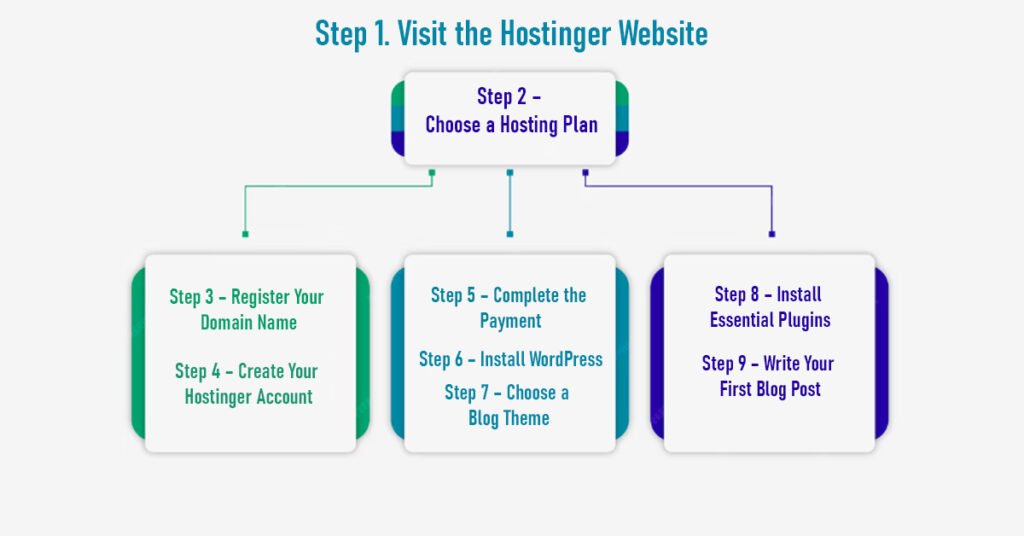
Step 2 – Choose a Hosting Plan
Hostinger offers several plans such as:
- Single WordPress Hosting
- Premium WordPress Hosting
- Business WordPress Hosting
For beginners, the Premium plan is usually the best option.
Step 3 – Register Your Domain Name
Next choose your domain name.
Example:
yourblogname.com
If available, you can register it for free with your hosting plan.
Step 4 – Create Your Hostinger Account
Enter:
- Email address
- Password
You can also sign up using Google.
Step 5 – Complete the Payment
Hostinger offers different billing periods such as:
- 12 months
- 24 months
- 48 months
Longer plans usually give bigger discounts.
Step 6 – Install WordPress
After logging into your Hostinger dashboard:
- Click Websites
- Click Add Website
- Choose WordPress
- Enter admin login details
WordPress installation takes less than a minute.
You can learn more about the platform on the official WordPress website.
Step 7 – Choose a Blog Theme
A theme controls your blog’s design.
Go to:
Appearance → Themes → Add New
Popular beginner themes include:
- Astra
- GeneratePress
- Kadence
Step 8 – Install Essential Plugins
Plugins add extra features to your blog.
SEO Plugin
Use plugins like:
- Rank Math
- Yoast SEO
These help optimize your website for Google search results.
Google SEO guide:
Security Plugin
Examples include:
- Wordfence
- Sucuri Security
Performance Plugin
Use caching plugins such as:
- LiteSpeed Cache
Step 9 – Write Your First Blog Post
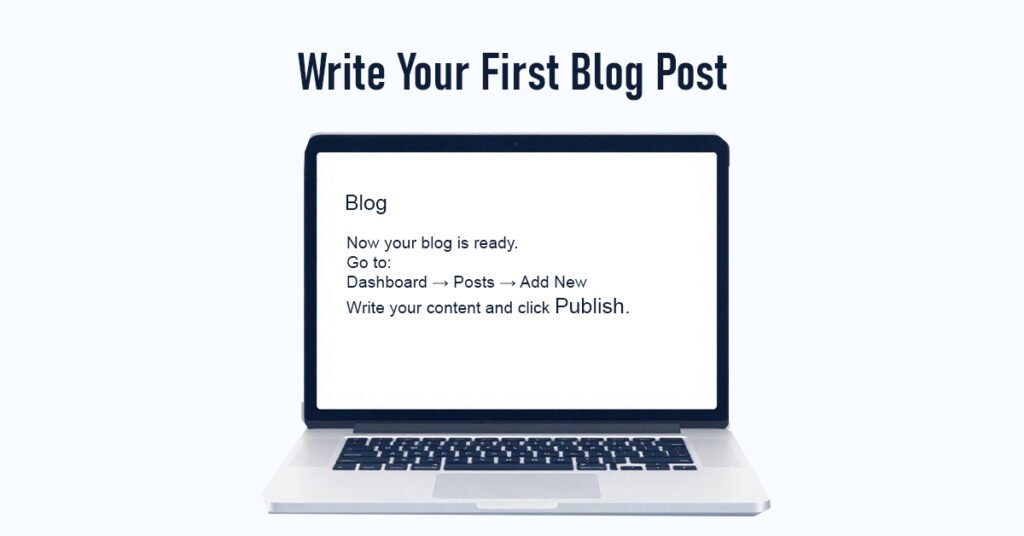
Now your blog is ready.
Go to:
Dashboard → Posts → Add New
Write your content and click Publish.
Congratulations — your blog is live.
Writing blog posts becomes much easier with modern AI tools. If you are a beginner looking for writing assistance, you may also explore our guide on Best AI Writing Tools for Students to discover tools that can help generate ideas and improve content writing.
Important Pages Every Blog Needs
About Page
Explain who you are and what your blog is about.
Contact Page
Allow readers to contact you easily.
Privacy Policy
This is required for:
- Ads
- Affiliate marketing
- Legal compliance
Affiliate Disclosure
If you promote products, add a disclosure page.
Tips to Grow Your Blog Faster
Focus on SEO
Search engine optimization helps your blog rank on Google.
Many bloggers today also write about emerging technologies like artificial intelligence. If you want to understand the basics, you can read our guide on What Is AI? 10 Mind-Blowing Facts About Artificial Intelligence.
Following best practices recommended by Google can help improve your blog’s visibility in search results.
Write Helpful Content
Create content that solves problems.
Examples include:
- Tutorials
- Reviews
- Comparisons
Publish Consistently
Try publishing 1–2 articles per week.
Use Internal Linking
Link related posts on your website.
For example:
How to Make Money with Hostinger Affiliate Program (Beginner’s Step-by-Step Guide 2026).
Key Takeaways
- Starting a blog with Hostinger and WordPress is beginner-friendly.
- You can launch a blog in under 30 minutes.
- Focus on SEO and helpful content to grow traffic.
- Blogging can generate income through affiliate marketing and ads.
Frequently Asked Questions
Is Hostinger good for beginners?
Yes. Hostinger is beginner-friendly and affordable.
Do I need coding knowledge?
No. WordPress allows you to build a blog without coding.
How much does it cost to start a blog?
Most beginners can start a blog for under $50 per year.
How long does it take to create a blog?
Usually 20–30 minutes.
Can blogging make money?
Yes. Bloggers earn money through:
Affiliate marketing
Ads
Sponsored posts
Digital products
Final Thoughts
Starting a blog today is easier than ever.
With reliable hosting from Hostinger and the flexibility of WordPress, beginners can launch a professional website quickly.
Once your blog starts getting traffic, you can monetize it through affiliate marketing.
To learn how bloggers earn commissions promoting hosting services, read our guide:
How to Make Money with Hostinger Affiliate Program (Beginner’s Step-by-Step Guide 2026).