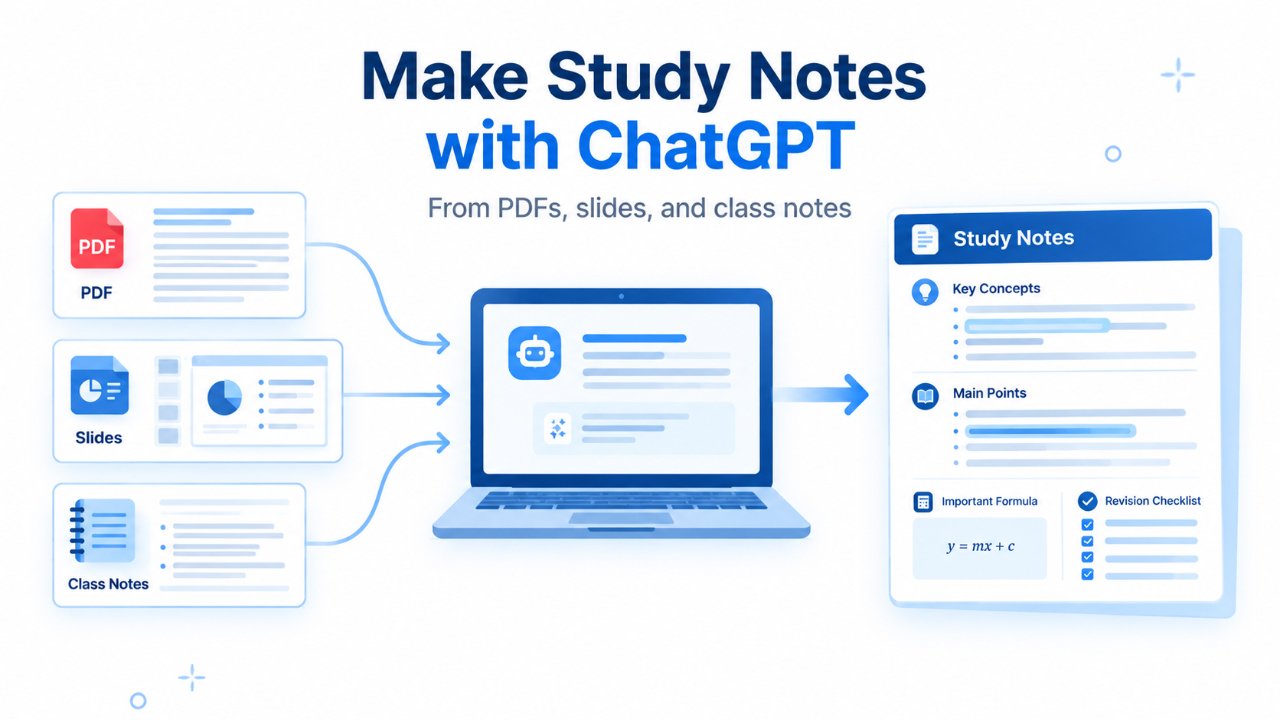
ChatGPT can be useful for studying, but the way you use it matters.
If you use it simply to get answers, write assignments, or generate summaries that you never review, you may finish a task without actually learning the material. A better approach is to use ChatGPT as a study partner: ask it to explain difficult concepts, give you practice questions, test your understanding, identify gaps in your knowledge, and help you revise.
This guide explains how to use ChatGPT for studying from the first explanation to the final revision.
Quick answer: You can use ChatGPT for studying by asking it to explain difficult concepts, create practice questions, quiz you, analyse your mistakes, help with revision, and simulate mock tests. For more guided learning, Study Mode can ask questions, explain concepts step by step, and check your understanding. The key is to attempt the work yourself instead of relying on ChatGPT to provide every answer.
How to use ChatGPT for studying
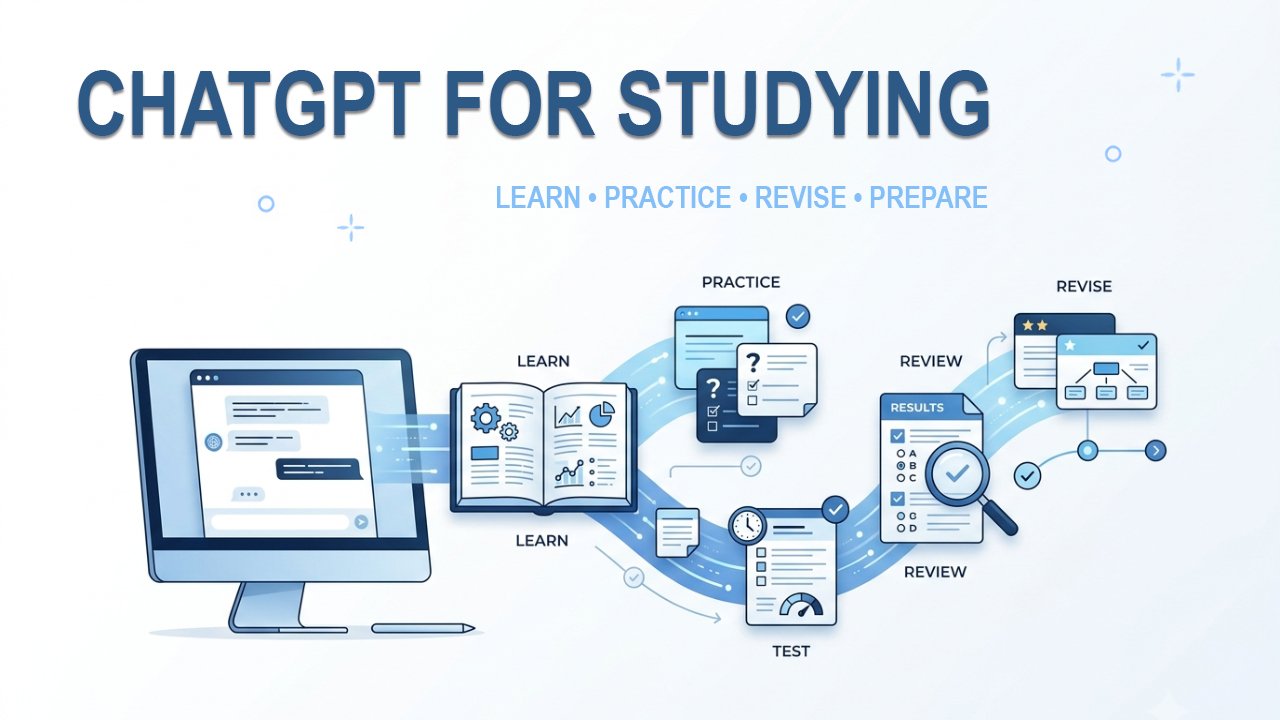
You can use ChatGPT throughout the study process:
| Study task | How ChatGPT can help |
| Learn | Explain a new topic in simple language |
| Understand | Break difficult concepts into smaller parts |
| Practice | Create questions and problems for you to solve |
| Test | Quiz you without showing the answers first |
| Review | Identify mistakes and explain what went wrong |
| Revise | Turn important material into questions, flashcards, or short reviews |
| Prepare | Help organise your revision before a test or exam |
“Because ChatGPT can make mistakes, treat its explanations as a study aid and verify important information against your course materials or other reliable sources.”
The important part is to make yourself think before ChatGPT gives you the answer.
For example, instead of saying:
“Give me the answer to this question.”
try:
“Give me one hint at a time. Let me attempt the problem myself before you explain the answer.”
That small change can make ChatGPT much more useful as a learning tool.
1. Use ChatGPT to understand difficult concepts
One of the simplest ways to use ChatGPT for studying is to ask it to explain something you do not understand.
You can start with a straightforward request:
“Explain photosynthesis in simple language. Assume I am a beginner and have no background in biology.”
If the explanation is too basic, continue with:
“Now explain the same concept at a high-school level and include the important terms I should remember.”
You can also ask ChatGPT to identify the parts students commonly misunderstand:
“What are the three most common misconceptions about this topic? Explain why each one is wrong.”
This is often more useful than repeatedly reading the same paragraph in a textbook.
If you are stuck on one particular step
Be specific about where you got confused.
For example:
“I understand how we reached the first step, but I don’t understand why the equation changes in the second step. Explain only that transition.”
The more clearly you describe the problem, the easier it is for ChatGPT to focus its explanation.
2. Try Study Mode when you want guided learning
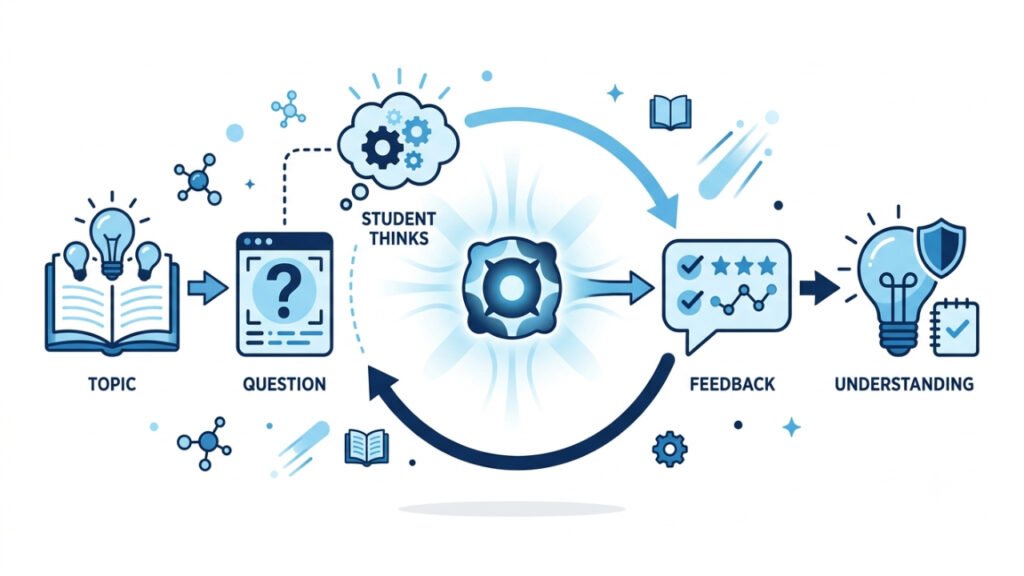
ChatGPT also has Study Mode, which is specifically designed to help you work through a topic rather than simply receive a final answer.
OpenAI says Study Mode can ask questions, guide your thinking, explain ideas step by step, and check your understanding. Using Study Mode in ChatGPT It can also work with study materials such as notes, slides, worksheets, syllabus documents, textbook excerpts, images and PDFs.
This makes it particularly useful when you want ChatGPT to behave more like a study partner.
For example, you can ask:
“I am preparing for my college exam on microeconomics. Start by asking what I already know, then teach me the topic step by step. Don’t give me the answer immediately when I make a mistake.”
You can also ask it to test you:
“Quiz me one question at a time. Wait for my answer before giving feedback.”
Study Mode is available across ChatGPT plans globally on web, iOS and Android, and works with the models available in ChatGPT. On the web, you can activate it by typing @study, using the + menu to search for Study, or opening ChatGPT’s Study Mode page. The exact menu can vary between devices and app versions.
Give Study Mode some context
Your first message will generally be more useful if you tell ChatGPT:
- your education level
- the subject and topic
- what you already understand
- what you are trying to achieve
- what kind of test or exam you are preparing for
- any relevant notes, syllabus or other study material
For example:
“I’m a first-year college student studying introductory biology. I have an exam next week on cell division. I understand the basic terms but struggle to remember the stages. Teach me step by step and quiz me after each major concept.”
You do not have to write a long prompt. A few useful details are enough.
3. Turn your notes into something you can actually study
Long notes are not always easy to revise.
If you have your own notes, you can ask ChatGPT to reorganise them into a more useful study format.
For example:
“Turn these notes into a list of important concepts I should understand before my exam. Do not add information that isn’t in my notes.”
Or:
“Create 15 short-answer questions from these notes. Don’t show the answers yet.”
You can also upload a syllabus, notes, slides or other supported study material and ask ChatGPT to work from it. OpenAI confirms that Study Mode can reference uploaded study materials, although you should check that it has interpreted files or images correctly.
That last point matters. If an uploaded page is unclear or ChatGPT misses something in it, check the original material rather than assuming the response is correct.
4. Use ChatGPT for practice, not just explanations
Reading an explanation can make a topic feel familiar without proving that you can actually use what you learned.
Practice changes that.
After studying a topic, ask ChatGPT to create questions for you:
“Give me 10 questions on this topic. Start with basic recall and gradually increase the difficulty. Don’t show the answers.”
Then answer the questions yourself.
Once you have finished, ask:
“Here are my answers. Check them one by one. For every incorrect answer, explain the mistake and tell me what concept I should review.”
For mathematics, programming, science and other problem-based subjects, you can make the process even more useful:
“Give me one problem at a time. Don’t solve it for me. If I get stuck, give me a hint rather than the solution.”
The purpose is not to make ChatGPT do the practice for you. The practice is the learning activity.
5. Ask ChatGPT to test what you actually remember
One of the most useful ways to use ChatGPT for studying is to turn it into a quiz partner.
Suppose you have just finished a chapter. Instead of immediately asking for a summary, try:
“I’ve just finished studying this chapter. Test my understanding with 10 questions, one at a time. Don’t give me the answer until I respond.”
If you answer incorrectly, ask:
“Don’t just tell me the correct answer. Explain where my reasoning went wrong and then ask me a similar question.”
You can also increase the difficulty:
“I’ve answered the basic questions correctly. Now give me application-based questions that require me to use the concepts rather than simply recall definitions.”
This helps you discover whether you know the material or merely recognise it.
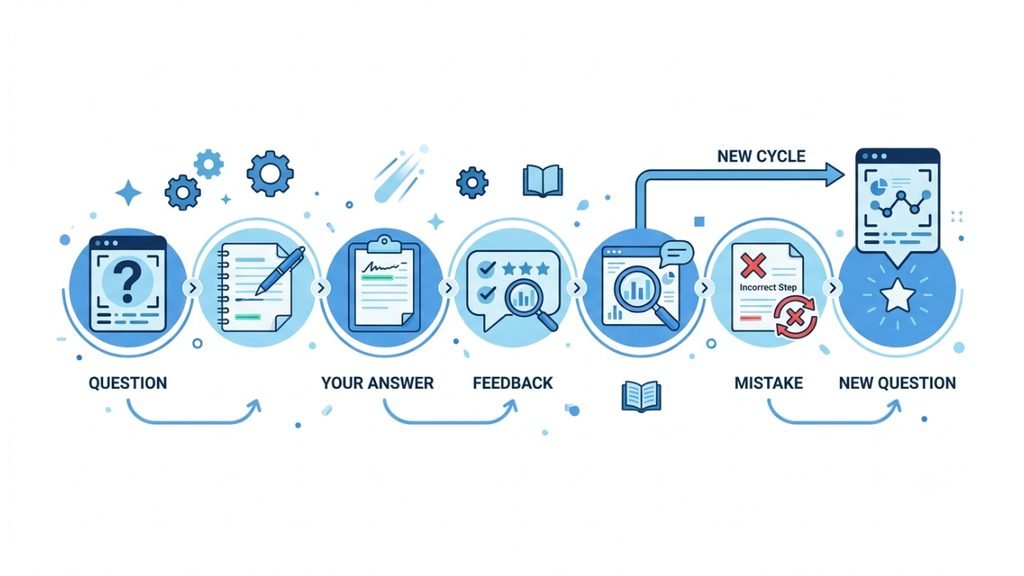
6. Use ChatGPT to understand your mistakes
Getting an answer wrong is useful if you understand why.
After completing a set of questions, give ChatGPT your answers and ask it to analyse the mistakes.
For example:
“Analyse my incorrect answers. Group my mistakes by concept and tell me which areas I should revise first.”
You can then follow up with:
“Teach me the concept behind my first mistake, then give me two new questions to check whether I’ve understood it.”
This creates a simple loop:
Answer → find mistake → understand mistake → practise again
That is much more useful than simply looking at the correct answer and moving on.
7. Use ChatGPT for active revision
When an exam is approaching, you probably do not want to reread everything from the beginning.
Instead, ask ChatGPT to help you identify what you need to recall.
For example:
“I have studied this chapter already. Give me 15 questions that test the most important concepts without giving me the answers.”
Or:
“Ask me questions that expose gaps in my understanding rather than questions that only test definitions.”
You can also ask for a short revision session:
“I have 20 minutes to revise this topic. Ask me the most important questions one at a time. Spend more time on areas where I make mistakes.”
The point is to make revision active rather than simply rereading notes.
8. Create flashcards when they are actually useful
Flashcards can be helpful for facts, terminology, formulas, definitions and other information that benefits from repeated recall.
For example:
“Create 20 flashcards from these notes. Put one question on each card and a concise answer on the back. Focus on information I need to remember for the exam.”
You can then ask ChatGPT to quiz you from those cards rather than simply displaying them.
For conceptual subjects, however, do not turn everything into flashcards. Some topics require you to explain, compare, calculate or apply an idea rather than memorise a sentence.
9. Build a study plan around your actual time
ChatGPT can also help you organise your study sessions.
Instead of asking for a generic “30-day study plan,” give it the information that actually matters:
“I have 10 days before my exam. I need to study five chapters. I have about two hours each weekday and four hours on weekends. Create a realistic plan that includes learning, practice questions and revision.”
You can make the plan more useful by telling ChatGPT which chapters are difficult for you.
For example:
“I am already comfortable with Chapters 1 and 2. Chapters 3 and 4 are difficult, and I haven’t started Chapter 5. Adjust the plan so that I spend more time where I need it.”
A study plan should be a working schedule, not something you create once and never revisit. After a few days, update it based on your progress.
10. Use ChatGPT for mock tests before an exam
A mock test can show whether you are ready to move from studying to exam conditions.
You can ask ChatGPT:
“Create a 60-minute practice test based on these topics. Include a mixture of easy, medium and difficult questions. Do not give me the answers until I finish.”
For a more realistic test, tell it to avoid helping you while you are answering:
“Act as an examiner. Give me one question at a time and don’t provide hints unless I specifically ask for one.”
After completing the test:
“Now grade my answers. Show which questions I got wrong, explain the underlying concepts, and identify the three topics I should revise before taking another test.”
If your real exam has a particular format, provide that format rather than asking ChatGPT to guess it.
11. Prepare for the final revision
Your final revision should not simply repeat everything you have already studied.
At this stage, you can ask ChatGPT to help you identify gaps:
“Based on the topics I’ve studied and the questions I got wrong, create a final revision checklist.”
You can then work through the checklist one item at a time.
Another useful prompt is:
“Give me 10 final questions that cover the most important concepts from these chapters. Mix recall, explanation and application questions.”
If you cannot answer a question confidently, that gives you a clear signal about what needs another look.
A simple ChatGPT study workflow
You don’t need dozens of complicated prompts.
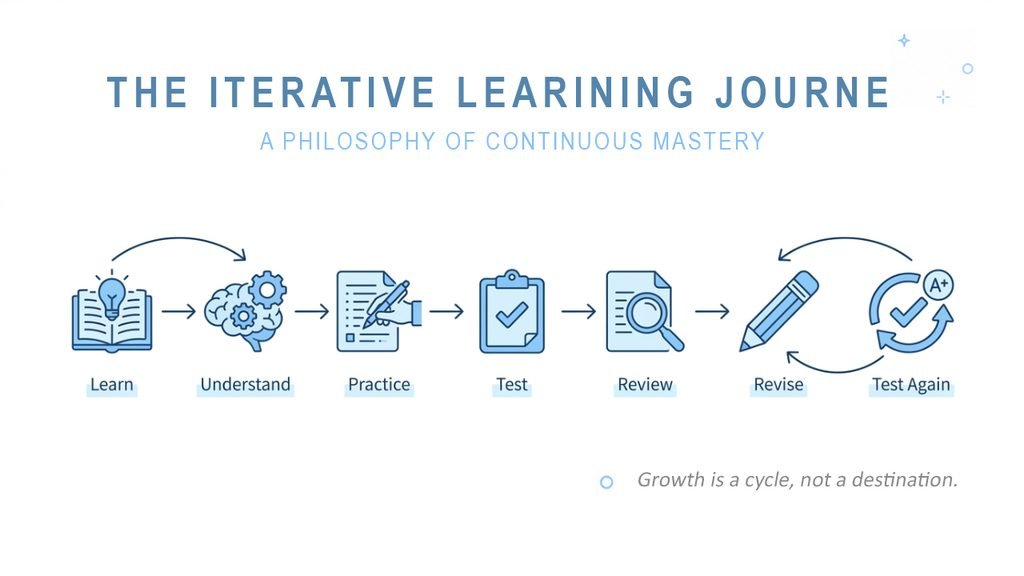
A simple workflow is enough:
| Stage | What you do |
| Learn | Ask ChatGPT to explain a difficult concept |
| Understand | Ask questions about anything unclear |
| Practice | Solve problems or answer questions yourself |
| Test | Ask ChatGPT to quiz you |
| Review | Analyse your mistakes |
| Revise | Return to the concepts you struggled with |
| Test again | Take another set of questions or a mock test |
The important part is that you remain involved at every stage.
If ChatGPT is doing all the thinking, you are using it as an answer machine. If you are answering questions, solving problems, explaining concepts and correcting your mistakes, you are using it as a study aid.
How to write better study prompts
You don’t need complicated “magic prompts.” Good study prompts usually contain four things:
What you are studying + your level + what you want to do + how you want ChatGPT to respond.
For example:
“I’m a college student studying accounting. I understand the basic concepts but struggle with journal entries. Give me one problem at a time, let me attempt it, and give me a hint if I make a mistake.”
This is more useful than:
“Teach me accounting.”
You can also tell ChatGPT what not to do:
“Don’t give me the answer immediately.”
“Don’t make the questions too easy.”
“Don’t add information outside these notes.”
“Wait for my answer before explaining the next step.”
These instructions can make the interaction much closer to an actual study session.
How Indian students can use ChatGPT for studying
The same study methods can be adapted to different education systems and exam formats in India.
For example, if you are preparing for a school, college or competitive exam, you can provide ChatGPT with the relevant syllabus and ask it to organise your study around those topics.
Try:
“Here is my syllabus. Divide it into a realistic study plan and identify which topics I should practise most. Don’t assume anything that isn’t present in the syllabus.”
For an exam with objective questions:
“Create multiple-choice practice questions from these topics. Give me one question at a time and wait for my answer.”
For a descriptive exam:
“Give me a question and let me write my answer. Then evaluate whether my answer addresses the question and identify areas that need improvement.”
The important point is to use the actual syllabus, prescribed material and exam requirements whenever possible rather than asking ChatGPT to guess what your examination may contain.
What you should not use ChatGPT for when studying
ChatGPT can be useful, but it should not replace your own learning.
Avoid using it to:
- submit AI-generated answers as your own work when that is not allowed
- complete an assignment without understanding the material
- memorise an explanation without checking whether it is correct
- replace your textbook, teacher or official course material
- assume every answer is accurate
- rely on it for information that your exam or course specifically requires you to learn from another source
OpenAI also notes that Study Mode can make mistakes and may sometimes give a direct answer even though it is designed to guide learning. Important information should therefore be checked, particularly when accuracy matters.
If your school, college, instructor or examination body has rules about AI use, follow those rules.
“OpenAI likewise recommends following the AI-use policies of your school, instructor or organisation.”
A better way to think about ChatGPT for studying
The most useful question is not:
“What can ChatGPT do for my studies?”
It is:
“Which part of my study process can ChatGPT help me improve?”
If you don’t understand a concept, use it as an explainer.
If you need practice, use it as a question generator.
If you want to test yourself, use it as a quiz partner.
If you keep making the same mistakes, use it to analyse those mistakes.
If an exam is approaching, use it to organise revision and simulate practice tests.
And when you already understand something, don’t ask ChatGPT to explain it again just because it can. Spend that time testing yourself instead.
Frequently asked questions
Is ChatGPT good for studying?
ChatGPT can be a useful study aid when you use it to understand concepts, practise problems, test yourself and review mistakes. It is less useful when you simply copy its answers without engaging with the material.
Can ChatGPT help with exam preparation?
Yes. You can use it to explain difficult topics, create practice questions, quiz you, review mistakes, organise revision and create mock tests. Study Mode is also designed to support test and exam preparation.
What is ChatGPT Study Mode?
Study Mode is a ChatGPT learning experience designed to guide you through a topic with questions, step-by-step explanations and knowledge checks rather than simply providing a final answer. It can also work with uploaded study materials such as notes, slides, worksheets and PDFs.
Can ChatGPT create practice questions?
Yes. You can ask ChatGPT to create questions at a particular difficulty level, quiz you one question at a time, or explain your mistakes after you answer.
Can I use my notes with ChatGPT?
Yes. When file uploads are available in your chat, you can provide notes, PDFs, slides, worksheets or other study material and ask ChatGPT to work with them. Check important information against your original material, especially if the file contains images, diagrams or difficult formatting.
Should I use ChatGPT instead of my textbook or teacher?
No. ChatGPT works best as an additional study aid. Your textbook, teacher, syllabus and official course material should remain important sources for your studies.
Final takeaway
ChatGPT can become much more useful for studying when you stop treating it as a place to get answers and start treating it as a tool for learning, practising and testing yourself.
A simple approach is enough:
Learn → Understand → Practice → Test → Review → Revise → Test again
Use normal ChatGPT when you need a quick explanation or help with a particular task. Use Study Mode when you want a more guided learning session with questions, explanations and knowledge checks.
The goal is not to let ChatGPT study for you.
The goal is to use ChatGPT in a way that makes you study better.