- 1 Introduction
- 2 ChatGPT for Teachers
- 3 Quick Answer: Is ChatGPT Safe and Allowed for Teachers?
- 4 What Is ChatGPT? (Teacher-Friendly Explanation)
- 5 Why Teachers Are Using ChatGPT in 2025
- 6 How to Use ChatGPT in 5 Minutes (For Complete Beginners)
- 7 Three Golden Rules for Teachers Using ChatGPT
- 8 1. ChatGPT for Lesson Planning
- 9 2. Creating Worksheets and Quizzes
- 10 3. Explaining Difficult Topics in Simple Words
- 11 4. Helping Weak and Advanced Students
- 12 5. Writing Student Feedback Faster
- 13 6. Classroom Activity Ideas
- 14 7. Emails, Reports, and Admin Work
- 15 Is ChatGPT Allowed in Schools?
- 16 Free vs Paid ChatGPT (For Teachers)
- 17 Common Myths About ChatGPT for Teachers
- 18 Frequently Asked Questions
- 19 Final Thoughts: Should Teachers Use ChatGPT?
Introduction
Teaching today is not just about teaching.
It’s lesson planning, worksheets, exams, grading, feedback, parent communication, reports, meetings — and somehow still keeping students engaged.
Most teachers are already overworked.
This is why teachers around the world are starting to use ChatGPT — not to replace teaching, but to reduce workload and save time.
In this guide, you’ll learn exactly how teachers can use ChatGPT, explained in simple language, with real examples, easy prompts, and clear rules.
No technical knowledge needed.
ChatGPT for Teachers
ChatGPT for teachers is an AI tool that helps educators save time by assisting with lesson planning, worksheets, quizzes, explanations, feedback, and administrative tasks. Teachers use ChatGPT as a support tool — not a replacement — while following student privacy rules and school policies.
Quick Answer: Is ChatGPT Safe and Allowed for Teachers?
Yes.
Teachers can safely and legally use ChatGPT for:
- Lesson planning
- Worksheets and quizzes
- Explaining difficult topics
- Student feedback
- Emails and admin work
As long as student personal data is not shared and school rules are followed.
What Is ChatGPT? (Teacher-Friendly Explanation)
ChatGPT is a tool where you type a question, and it writes an answer for you.
Think of it as:
- A teaching assistant
- A content helper
- A draft writer
You tell it what you need, and it gives you a starting point.
👉 Important:
ChatGPT helps you prepare, not teach in your place.
Why Teachers Are Using ChatGPT in 2025
Most teachers don’t start using ChatGPT because they’re excited about AI. They start using it because they’re tired. Tired of rewriting lesson plans late at night, tired of creating worksheets from scratch, and tired of doing the same administrative writing again and again. Many teachers say they first tried ChatGPT on a busy evening, just looking for a quicker way to get things done — and were surprised by how helpful it actually was.
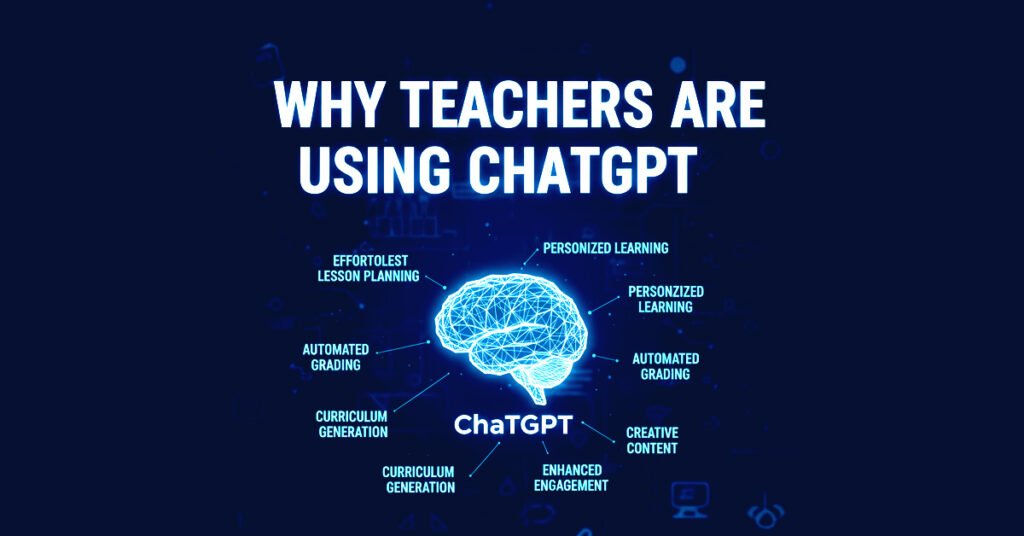
Main Benefits for Teachers
- Saves 5–10 hours per week
- Helps create better lesson plans
- Makes worksheets and quizzes instantly
- Explains topics in simple language
- Reduces repetitive writing work
Once teachers try it, most say:
“I wish I had started earlier.”
How to Use ChatGPT in 5 Minutes (For Complete Beginners)
If you can use Google, you can use ChatGPT.
Follow these five simple steps.
Step 1: Open ChatGPT
Go to chat.openai.com
Log in using your Google account or email.
You’ll see a blank box at the bottom — that’s where you type.
Step 2: Type Like You Speak
There are no rules or special commands.
Just write what you want, clearly and simply.
Example Prompt:
Explain photosynthesis in simple words for Grade 6 students.
Press Enter.
Step 3: Treat the Answer as a First Draft
ChatGPT gives a draft, not a final textbook.
You can:
- Edit it
- Shorten it
- Improve it
- Adjust it for your class
You are always in control.
Step 4: Improve the Answer (One Simple Line)
If needed, just type:
- “Make it simpler”
- “Make it shorter”
- “Explain again”
Example Prompt:
Make it even simpler.
ChatGPT will improve it instantly.
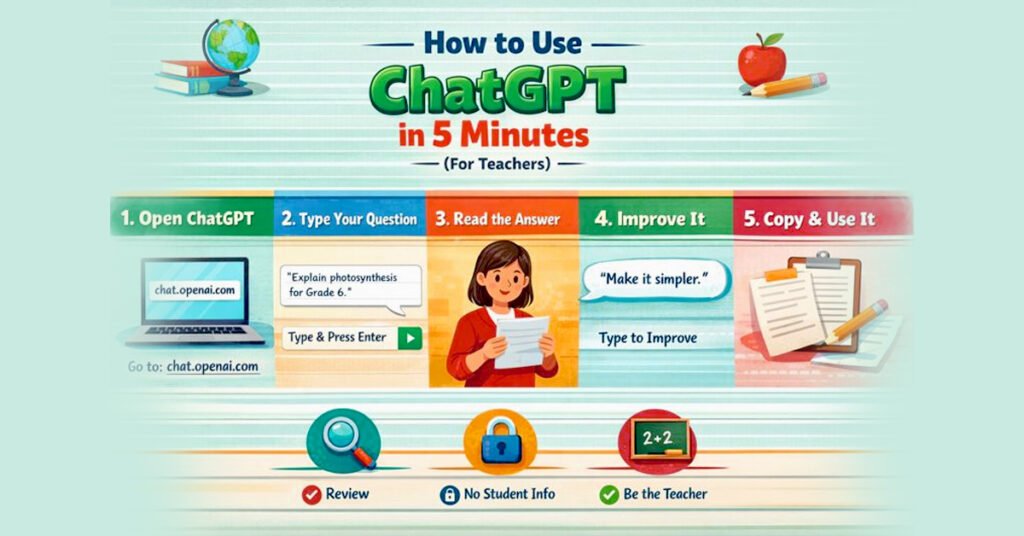
Step 5: Copy and Use It
Once satisfied:
- Copy the text
- Paste it into your lesson plan, worksheet, notes, or email
That’s it
Three Golden Rules for Teachers Using ChatGPT
Rule 1: Always Review
ChatGPT helps you write — you decide what is correct.
Do NOT type:
- Student names
- Roll numbers
- Phone numbers
- Personal information
Use general words like:
“a student”, “my class”, “Grade 8 students”
Rule 3: Use It as an Assistant, Not a Replacement
ChatGPT supports your work —
It does not replace your experience or judgment.
1. ChatGPT for Lesson Planning
Lesson planning often spills into evenings and weekends. Instead of staring at a blank document and wondering where to begin, many teachers now use ChatGPT to create a basic lesson outline in just a few minutes. It doesn’t replace your teaching style — it simply gives you a clear starting structure that you can adapt for your classroom.
Simple Prompt:
Make a simple 45-minute lesson plan for Grade 8 Science on Photosynthesis.
You can then edit it to match your teaching style.
2. Creating Worksheets and Quizzes
ChatGPT can instantly create:
- Worksheets
- Practice questions
- Quizzes
- Answer keys
Simple Prompt:
Create a worksheet with 10 questions on World War II for Grade 10 students.
Quiz Prompt:
Create a 10-question multiple-choice quiz on fractions for Grade 6, with answers.
3. Explaining Difficult Topics in Simple Words
Every teacher has faced this moment: you explain a topic carefully, but students still look confused. Someone finally says, “I don’t understand.” ChatGPT helps in these situations by explaining the same concept in a different and simpler way — which is often exactly what students need to understand it better.
Simple Prompt:
Explain Newton’s Third Law in very simple language for a 12-year-old.
You can ask again:
Explain it even more simply.
4. Helping Weak and Advanced Students
Every class has different learning levels.
ChatGPT helps you adjust content easily.
For Weak Students:
Explain photosynthesis in very easy words for weak students.
For Advanced Students:
Give 5 difficult questions on photosynthesis for advanced students.
5. Writing Student Feedback Faster
Pretty much every instructor wants to provide thoughtful and supportive feedback for every single student. However, time is simply the problem: during busy assignment seasons, feedback often becomes hurried – even though it may be one of the most crucial areas where instructors show their involvement and interest. ChatGPT can help write soft, encouraging feedback that can be quickly personalized but at the same time leave that human touch.
Simple Prompt:
Write kind and helpful feedback for a student who tries hard but makes mistakes.
6. Classroom Activity Ideas
ChatGPT can suggest activities to make lessons interesting.
Simple Prompt:
Suggest 3 fun classroom activities to teach democracy to Grade 9 students.
Great for:
- Group work
- Discussions
- Projects
7. Emails, Reports, and Admin Work
Administrative writing is one of the most time-consuming parts of a teacher’s job. Emails to parents, reports, and notices are often delayed because they feel repetitive and draining. ChatGPT helps teachers complete this necessary work faster, freeing up more time and energy for actual teaching.
Simple Prompt:
Write a polite email to parents about upcoming exams.
Is ChatGPT Allowed in Schools?
It depends on:
- Country
- School board
- Institution policy
Most schools allow teacher use for preparation, while controlling student use.
👉 Best practice:
Use ChatGPT for planning and support, not for replacing assessments.
Free vs Paid ChatGPT (For Teachers)
Free Version
- Good for basic use
- Slower at busy times
Paid Version (ChatGPT Plus)
- Faster
- Better responses
- Handles complex tasks well
If you use ChatGPT daily, the paid version can save significant time.
Common Myths About ChatGPT for Teachers
Myth: ChatGPT will replace teachers
Truth: It replaces repetitive work, not teachers.
Myth: Using AI is cheating
Truth: Using tools wisely is modern teaching.
Myth: AI answers are always correct
Truth: Teachers must always review.
Frequently Asked Questions
Is ChatGPT safe for teachers?
Yes, if student data is not shared and answers are reviewed.
Can ChatGPT help with grading?
It can help with feedback drafts, but final grading should always be done by teachers.
Is ChatGPT useful for primary teachers?
Yes. It’s excellent for storytelling, activities, and simple explanations.
Final Thoughts: Should Teachers Use ChatGPT?
Yes — responsibly and wisely.
ChatGPT:
- Saves time
- Reduces stress
- Supports better teaching
It doesn’t replace teachers.
It supports them.
Teachers who learn to use AI today will be more confident and effective tomorrow.