Starting on Fiverr can feel overwhelming.
You see successful sellers.
You see polished gigs.
You assume expensive tools are required.
Here’s the truth:
You do not need paid software to start.
In 2026, many free AI tools are powerful enough to help beginners offer real services, deliver professional work, and earn their first Fiverr income.
If you combine the right free AI tools with basic human editing, you can launch profitable Fiverr gigs even with zero budget.
This guide covers:
- Best free AI tools for Fiverr gigs
- What each tool is good for
- Which Fiverr services they support
- How to choose the right tools
- How these tools help you make money faster
If your goal is to start Fiverr using AI, this article gives you everything you need.
- 1 Quick Answer: What Are the Best Free AI Tools for Fiverr Gigs?
- 2 Why Using Free AI Tools on Fiverr Makes Sense
- 3 Best Free AI Writing Tools for Fiverr Sellers
- 4 Best Free AI Design & Image Tools
- 5 Best Free AI Video Tools
- 6 Best Free AI Voice Tools
- 7 Best Free AI Tools for Chatbots & Automation
- 8 Free AI Tool Comparison Table for Fiverr Gigs
- 9 Recommended Free AI Tool Stacks for Common Fiverr Gigs
- 10 How to Choose the Right Free AI Tool for Your Fiverr Gig
- 11 How Free AI Tools Help You Make Money on Fiverr Faster
- 12 Real Examples of How Freelancers Use Free AI Tools on Fiverr
- 13 Is It Legal and Safe to Use Free AI Tools for Fiverr Work?
- 14 Common Mistakes Beginners Make With Free AI Tools
- 15 Free vs Paid AI Tools – When Should You Upgrade?
- 16 FAQs
- 17 Final Thoughts
Quick Answer: What Are the Best Free AI Tools for Fiverr Gigs?
The best free AI tools for Fiverr gigs in 2026 include ChatGPT, Canva, Leonardo AI, CapCut, ElevenLabs, and Tidio or ManyChat. These tools allow beginners to create professional services without paying upfront.
Why Using Free AI Tools on Fiverr Makes Sense
Free AI tools remove almost all entry barriers.
You don’t need:
- Expensive software
- Technical degrees
- Large startup capital
What you do need:
- A laptop
- Internet
- Willingness to learn
Free tools allow you to:
- Test Fiverr without risk
- Learn client expectations
- Build reviews
- Upgrade later using earnings
Many top freelancers originally started with free versions.
Paid tools improve speed.
Free tools build foundations.
Best Free AI Writing Tools for Fiverr Sellers
ChatGPT (Free Plan)
ChatGPT (official website) is one of the most versatile AI writing tools available.
Best for:
- Blog writing
- SEO articles
- Product descriptions
- Emails
- Social media captions
Strengths:
- Easy to use
- Good quality output
- Fast generation
Limitations:
- Requires human editing
- No long-term memory in free plan
Claude (Free Version)
Claude AI (official website) is strong at longer, more natural writing.
Best for:
- Blog posts
- Website content
- Rewriting tasks
Strengths:
- Natural tone
- Handles longer prompts
Limitations:
- Fewer formatting controls
Google Gemini (Free)
Good alternative for idea generation and short content.
Best for:
- Outlines
- Brainstorming
- Short copy
Best Free AI Design & Image Tools
Canva Free
Canva (official website) is essential for Fiverr beginners.
Best for:
- Thumbnails
- Social posts
- Banners
- Simple logos
Strengths:
- Templates
- Drag-and-drop
- Built-in AI features
Leonardo AI
Leonardo AI (official website) is an excellent free AI image generator.
Best for:
- AI art
- Illustrations
- Characters
- Concept designs
Strengths:
- Free daily credits
- High-quality images
Microsoft Designer
Good for social graphics and ads.
Best Free AI Video Tools
CapCut Free
CapCut (official website) is beginner-friendly and powerful.
Best for:
- TikTok videos
- Shorts
- Reels
- Basic YouTube editing
Strengths:
- AI captions
- Templates
- Effects
InVideo Free
Text-to-video and templates.
Runway Free
Runway ML (official website) offers AI video tools for:
- Background removal
- Effects
- Simple generation
Best Free AI Voice Tools
ElevenLabs Free
ElevenLabs (official website) provides high-quality AI voice generation.
Best for:
- YouTube narration
- Shorts voice
- Demos
Play.ht Free
Alternative voice generator.
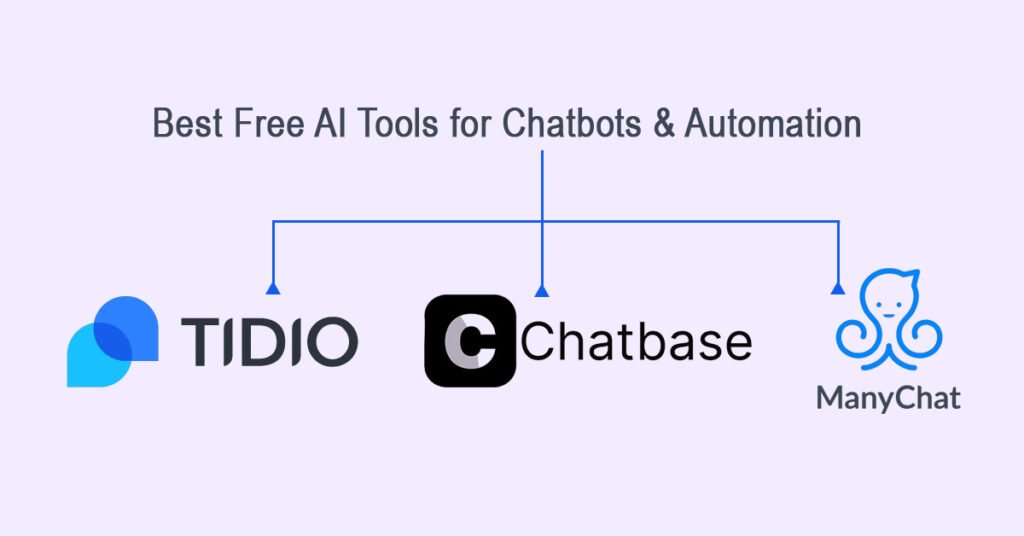
Best Free AI Tools for Chatbots & Automation
Tidio
Tidio (official website) is useful for website chatbots.
ManyChat
ManyChat (official website) is ideal for Instagram and Facebook bots.
Chatbase
Chatbase (official website) allows you to train chatbots using your content.
Free AI Tool Comparison Table for Fiverr Gigs
| Tool | Category | Best For | Free Plan |
| ChatGPT | Writing | Articles, copy | Yes |
| Canva | Design | Graphics | Yes |
| Leonardo AI | Images | Artwork | Yes |
| CapCut | Video | Shorts | Yes |
| ElevenLabs | Voice | Voiceovers | Yes |
| Tidio | Chatbot | Websites | Yes |
Recommended Free AI Tool Stacks for Common Fiverr Gigs
AI Writer Stack
ChatGPT + Grammarly + Google Docs
AI Designer Stack
Canva + Leonardo AI
AI Video Stack
CapCut + Runway
AI Voice Stack
ElevenLabs + CapCut
AI Chatbot Stack
Tidio + ChatGPT
How to Choose the Right Free AI Tool for Your Fiverr Gig
Ask yourself:
- What service will I sell?
- Does the tool export files?
- Is the interface simple?
- Does it allow commercial use?
Choose tools that match your service, not hype.
How Free AI Tools Help You Make Money on Fiverr Faster
Free AI tools:
- Reduce work time
- Improve output quality
- Allow more orders per day
If you want a full step-by-step guide on launching Fiverr gigs using AI, read:
How to Make Money on Fiverr with AI
You may also find this useful:
Real Examples of How Freelancers Use Free AI Tools on Fiverr
- A blog writer uses ChatGPT to draft articles, then edits manually.
- A designer uses Canva templates and Leonardo AI images.
- A video editor uses CapCut templates for Shorts.
- A voice seller generates narration with ElevenLabs, then cleans audio in CapCut.
Tools don’t make money.
Workflows do.
Is It Legal and Safe to Use Free AI Tools for Fiverr Work?
Yes.
As long as:
- You edit outputs
- You deliver original work
- You follow Fiverr rules
- You disclose AI use if asked
Always review each tool’s commercial usage terms.
Common Mistakes Beginners Make With Free AI Tools
- Copy-pasting AI output
- No editing
- Using too many tools
- No niche focus
Avoid these and you’ll grow faster.
Free vs Paid AI Tools – When Should You Upgrade?
Upgrade only when:
- You earn consistently
- Free limits slow you down
- You need advanced features
Free → Paid is natural progression.
FAQs
Are free AI tools enough to start Fiverr?
Yes.
Do I need technical skills?
No.
Can I earn using only free tools?
Yes.
Are AI Fiverr gigs saturated?
No.
Final Thoughts
Free AI tools make Fiverr accessible to almost anyone.
You don’t need money.
You don’t need perfection.
You need action.
Pick one tool.
Pick one service.
Create one gig.
That’s how Fiverr journeys begin.